Server Installation & Configuration in Lebanon
Server Solutions Designed for Performance, Security and Business Growth
A high-performance business server does not begin with choosing the fastest processor, the largest amount of RAM, or the most expensive hardware. Successful server installation begins with understanding the business, designing the network and server correctly, implementing the solution according to that design, and testing the complete environment under real operating conditions.
At Compulink, every server installation and configuration project follows an engineering process designed around the organization and its actual requirements. A server used by five employees sharing documents and printers has very different requirements from a server supporting dozens or hundreds of simultaneous users running accounting systems, databases, business applications, centralized storage, or other critical services.
Before selecting the server hardware, the Network Infrastructure Engineer must understand what the server will actually be expected to do. How many employees will use it? Which applications will run on it? How much data will be stored? How many users may access that data simultaneously? What network speed is required? What level of security, availability, backup and future expansion does the organization need?
These requirements determine the server solution — not the other way around.
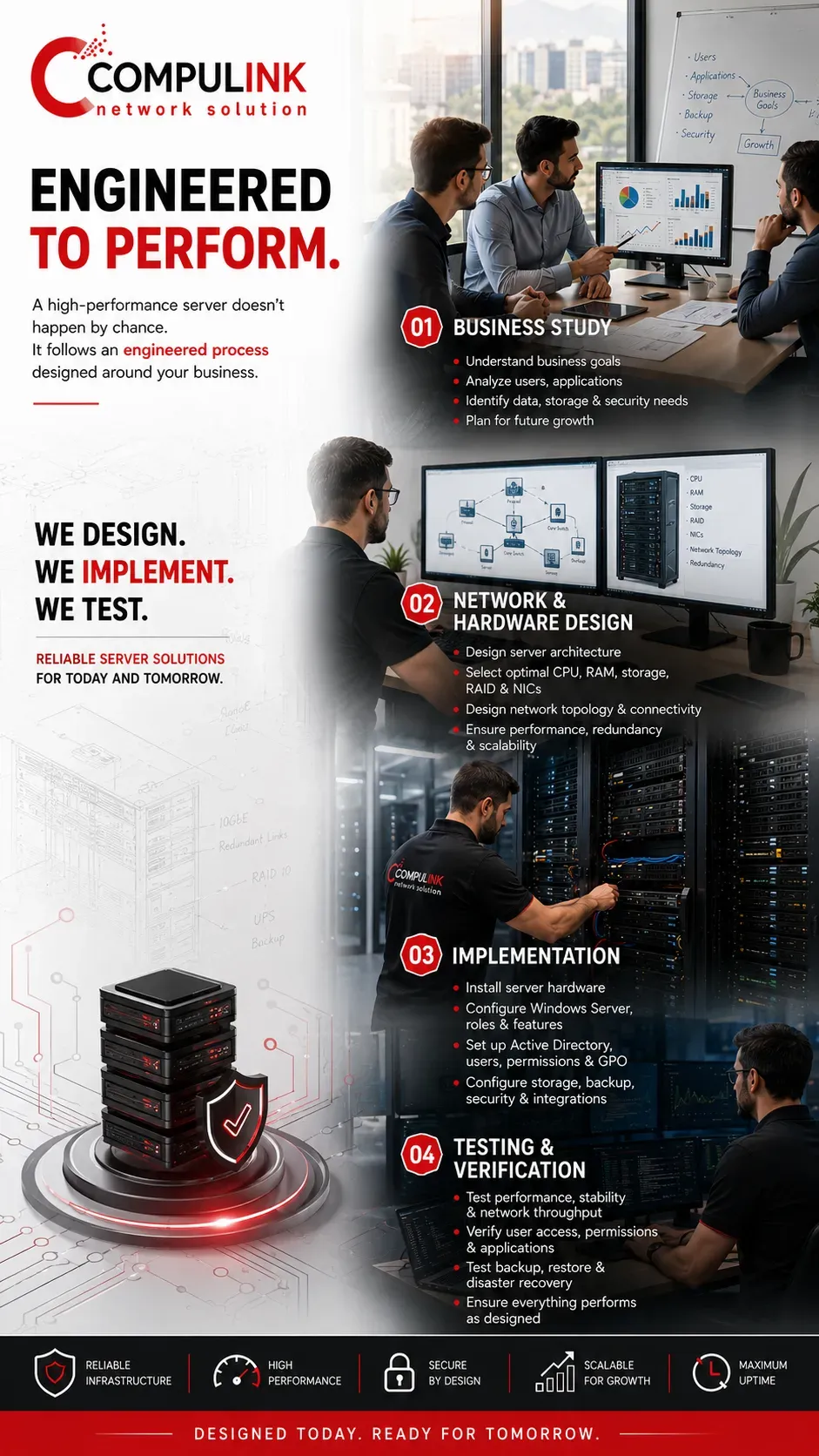
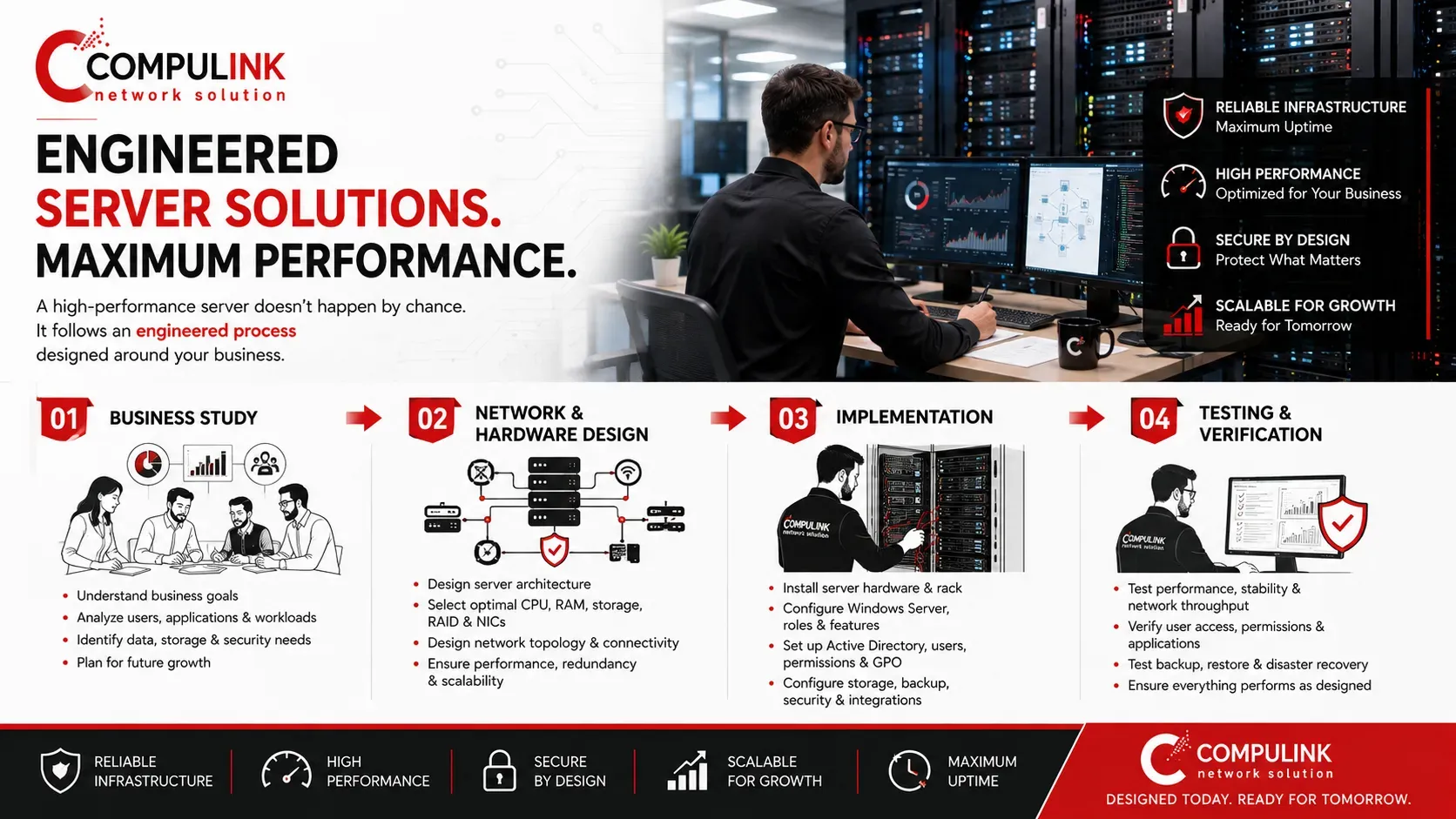
A properly engineered server deployment therefore follows four essential stages:
1. Business Study — Understanding the number of users, departments, applications, shared resources, data requirements, security needs, expected workloads and future business growth.
2. Network & Hardware Design — Translating those requirements into the correct server architecture, including CPU, RAM, storage, RAID, network interfaces, switching capacity, network connectivity, backup and redundancy. Every component must work together so that one weak point does not become a performance bottleneck.
3. Implementation — Performing the physical server installation, network integration and server configuration, followed by operating-system and service configuration such as Windows Server, Active Directory, user accounts, permissions, Group Policy, DNS, DHCP, storage, backup and security policies, according to the approved design.
4. Testing & Performance Verification — Testing connectivity, storage performance, network throughput, user access, permissions, applications, backup and system behavior to verify that the completed server environment performs as designed before it becomes responsible for daily business operations.
This process is what separates simply installing server hardware from delivering a properly engineered server solution.
The objective is not only to make the server fast on the day it is installed. The objective is to create a secure, manageable, scalable and reliable server environment capable of maintaining strong performance when employees, applications and business systems are working simultaneously.
Server Installation – Business Study
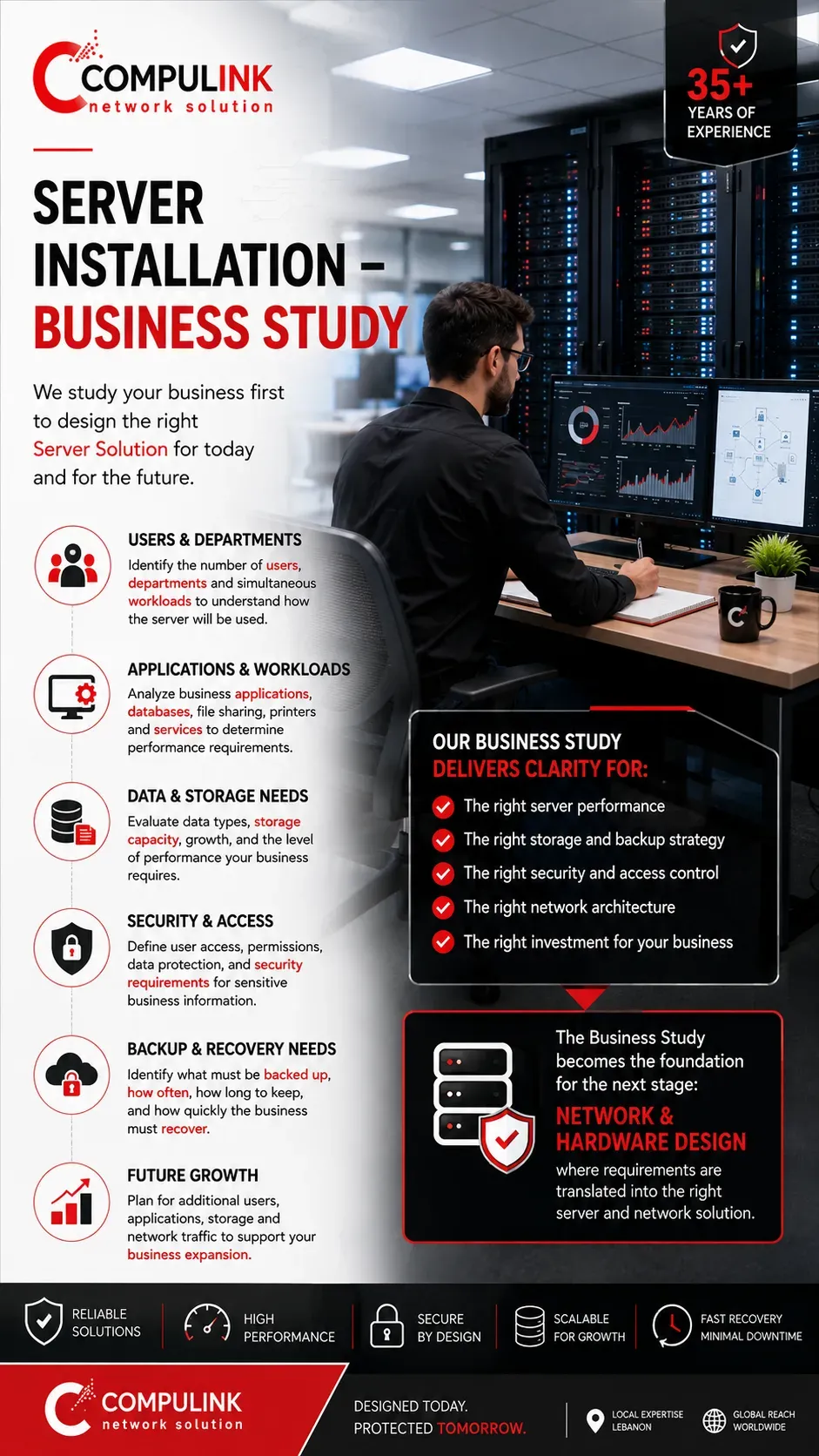
A successful Server Installation starts with a complete understanding of the business before any server hardware is selected. At Compulink, the first stage of every Server Installation and Configuration project is a Business Study that identifies how the company operates, how employees use the network, and what the server must deliver during daily operations.
The study begins with the number of users and departments that will access the server and, more importantly, how many employees may be working simultaneously. Accounting, sales, administration, management, engineering, and other departments can create very different workloads depending on the applications, databases, shared documents, printers, and centralized resources they use.
We also evaluate the company's applications, data and storage requirements. A server providing basic file sharing has different performance requirements from an Enterprise Server running accounting software, databases, business applications, large files, or several services simultaneously.
Understanding these workloads helps determine the processing, memory, storage, and network performance required from the final Server Solution.
Security and management requirements are also part of the study. We determine how users should access company resources, which departments require restricted information, what data must be backed up, and what level of availability the business requires.
Finally, we consider future growth. Additional employees, applications, storage, and network traffic should not immediately force the company to replace its server infrastructure.
The completed Business Study provides the technical foundation for the next stage:
Network & Hardware Design, where business requirements are translated into the correct server and network architecture.
Server Installation – Network & Hardware Design
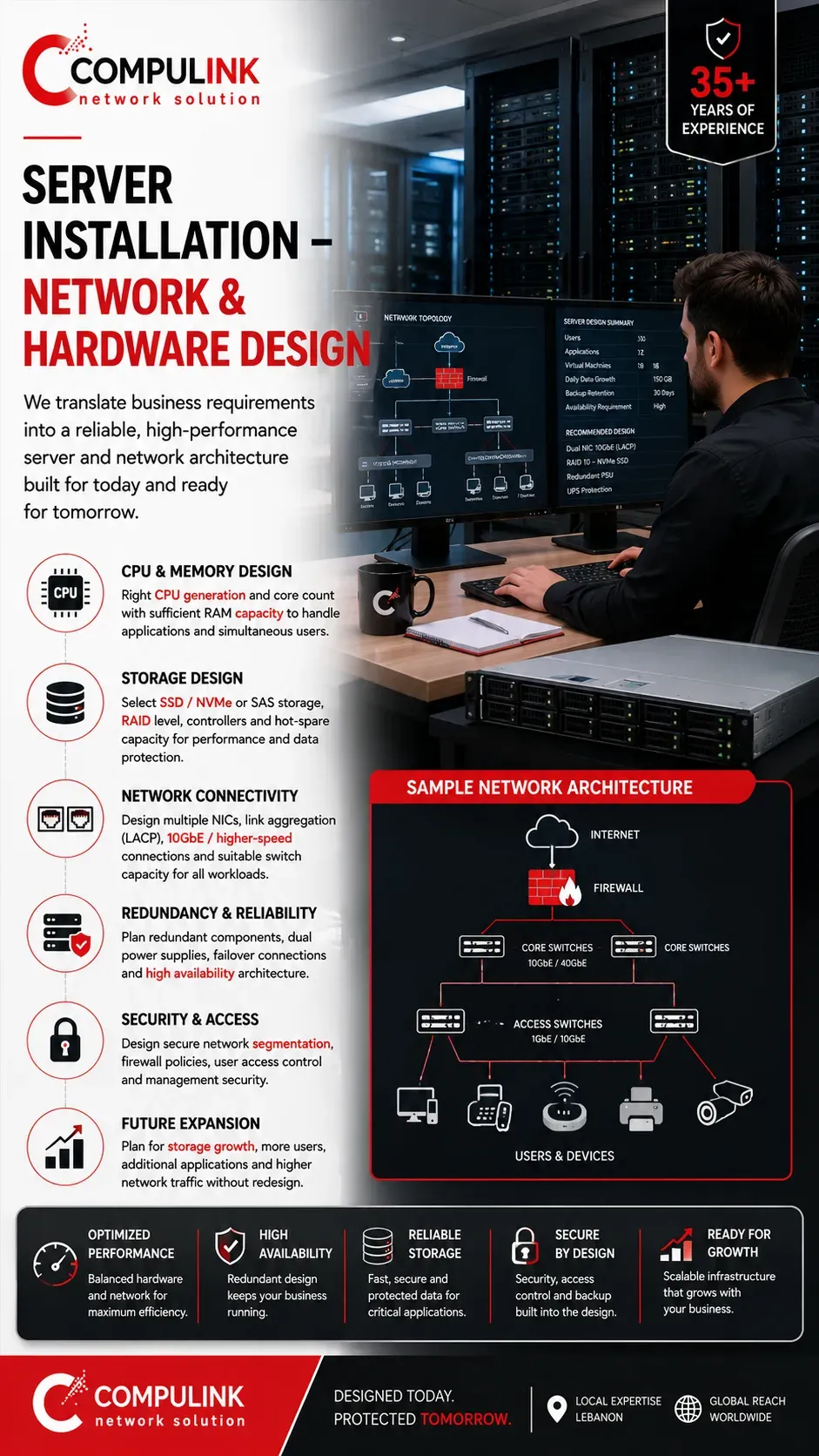
Once the Business Study is complete, the next stage of Server Installation is translating those requirements into the correct network and server hardware design. Server performance depends on the complete architecture working together—not simply choosing the fastest processor or the largest amount of RAM.
At Compulink, we determine the required CPU, RAM, storage technology, RAID configuration and network interfaces according to the number of users, applications, workloads and expected simultaneous activity. Each component must provide enough capacity so that one weak point does not create a bottleneck for the entire Server Solution.
The network connection is equally important. A powerful Enterprise Server can still perform poorly if its network interface or connection to the switching infrastructure cannot handle the traffic generated by multiple employees working simultaneously. Depending on the requirements, the design may include multiple server NICs, link aggregation, 10GbE or higher-speed connectivity, redundant connections and suitable switch capacity.
Storage is designed according to both capacity and performance requirements. The correct combination of SSD or NVMe storage, RAID, controllers and redundancy helps provide the speed, reliability and protection required by business applications and company data.
We also plan for backup, power protection, redundancy, security and future expansion so the infrastructure can grow as additional users, applications and storage are introduced.
The objective is to create a balanced Server Hardware and Network Design where processing, memory, storage and network performance work together to deliver reliable performance under real business workloads.
Server Installation – Implementation
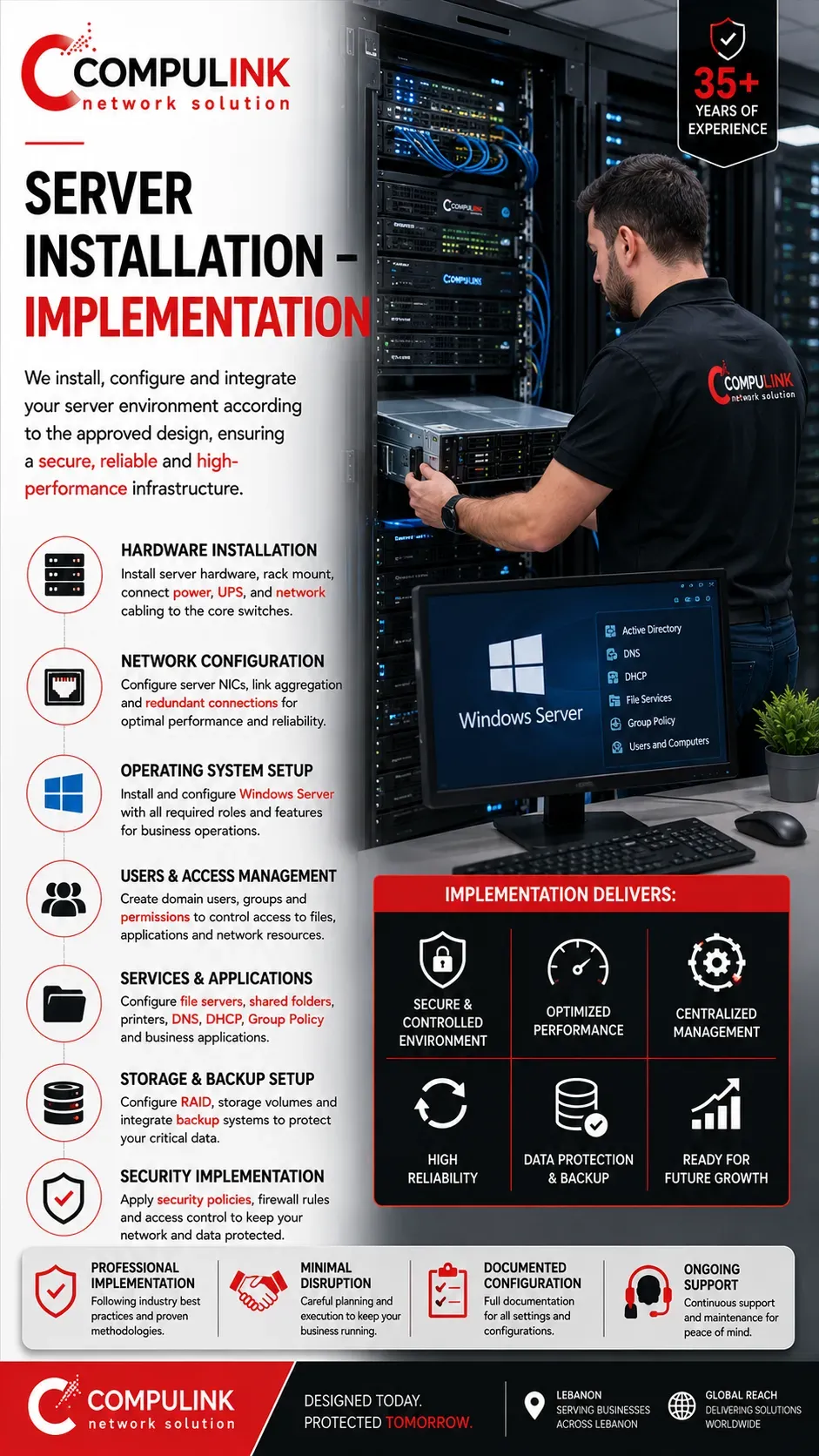
Once the Network & Hardware Design is approved, the next stage is the physical Server Installation and Configuration. This is where the engineered design becomes a working server environment integrated correctly with the company network.
At Compulink, implementation begins with the installation of the enterprise server hardware, rack mounting, power connections, UPS integration, network cabling and connection to the appropriate switches. Server NICs, redundant links and storage connections are configured according to the approved network design to ensure the required performance and reliability.
The operating environment is then configured according to the services the business requires. This can include Windows Server installation and configuration, Active Directory, Domain Services, DNS, DHCP, Group Policy, file servers, shared folders, network printers and centralized user management.
Users and departments can be organized through domain accounts, groups, permissions and access policies.
This allows the company to centrally control who can access specific files, applications and network resources while restricting sensitive information from unauthorized users.
Storage, RAID, backup systems, security policies and required business applications are also integrated as part of the Server Setup.
Every configuration follows the original design so that hardware, Windows Server services, storage and network connectivity operate as one complete system.
A properly implemented server provides the foundation for a
secure, manageable and reliable business network. Once implementation is complete, the environment moves to the final stage:
Testing & Performance Verification.
Server Installation – Testing & Performance Verification
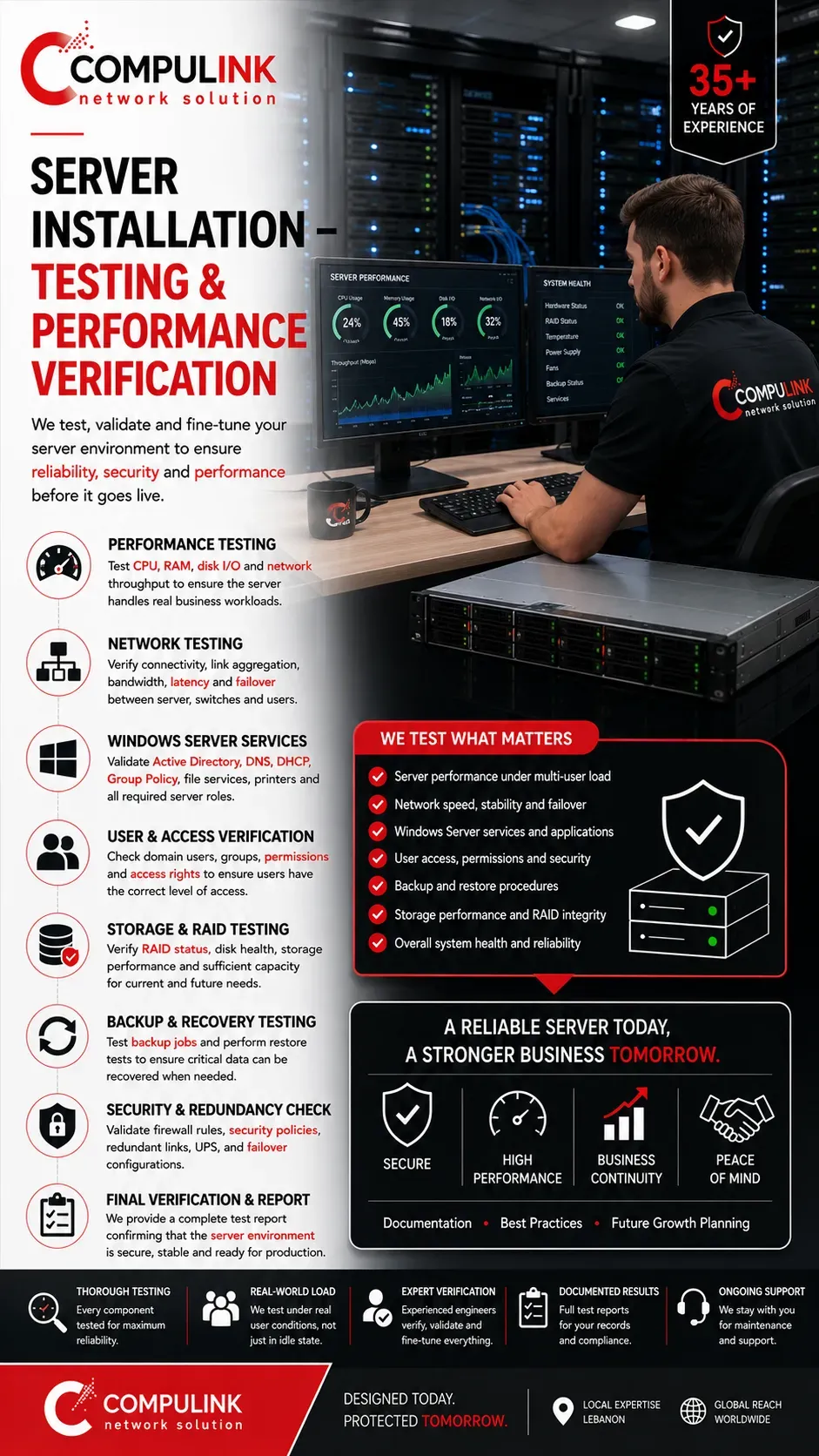
After the Server Installation and Configuration is completed, the final stage is testing the complete environment to confirm that the server, storage, network, applications and security settings operate according to the approved design. A server should never be considered complete simply because it powers on and users can connect.
At Compulink, we test server performance, network throughput, storage performance and system stability under operating conditions. The objective is to identify potential bottlenecks and verify that the CPU, RAM, storage, RAID and server network interfaces work together efficiently when multiple employees access the system simultaneously.
We also verify Windows Server services, Active Directory, domain users, Group Policy, DNS, DHCP, shared folders, network printers and business applications where applicable.
User accounts and permissions are checked to ensure employees can access the resources required for their jobs while restricted information remains protected.
Backup and recovery are equally important. Configured server backup solutions are tested to confirm that critical business data is being protected correctly and can be restored when required. Network redundancy, security policies and failover configurations are also verified where included in the server design.
The completed testing process confirms that the Enterprise Server Solution is secure, stable, manageable and capable of delivering the expected performance before becoming responsible for the company's daily operations.
Compulink then provides documentation and can continue with
Server Maintenance and Server Support to help maintain reliability, security and performance throughout the server's operational life.
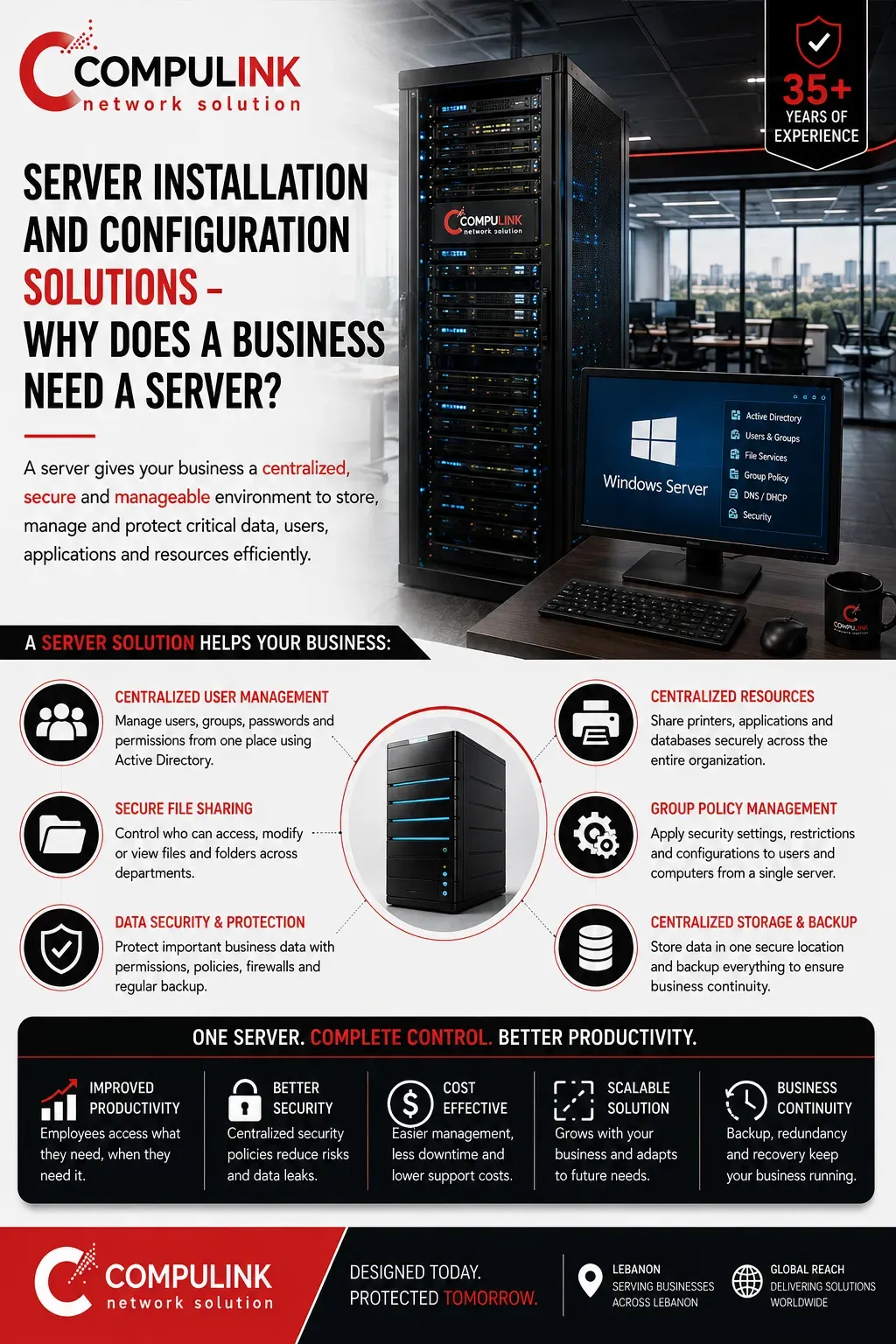
Server Installation and Configuration Solutions – Why Does a Business Need a Server?
As a company grows beyond a few employees, managing files, users, applications and shared resources independently on each computer becomes difficult.
A properly configured Server Solution creates a centralized environment where business resources can be managed, protected and accessed according to company policies.
With Windows Server and Active Directory, employees can have individual domain accounts instead of relying only on local computer accounts. Users can sign in to authorized computers using their company credentials, while administrators centrally manage accounts, passwords, computers, departments and access permissions.
This becomes especially important when different departments work on the same network. Accounting, sales, management, administration and other teams may need access to completely different information. Active Directory groups and permissions can determine who can open, modify or access specific shared folders and business resources, helping protect confidential company data.
A server can also centralize file sharing, network printers, business applications, databases, storage and backup. Instead of important company information being scattered across employee computers, data can be organized in a controlled environment with centralized protection and backup policies.
Group Policy provides another important management layer.
Administrators can apply security and computer settings across multiple users and devices from a centralized system rather than configuring every workstation separately.
A properly designed Windows Server Solution therefore provides more than storage.
It gives the business centralized management, access control, security, organization and scalability, creating an infrastructure that becomes increasingly valuable as the number of employees and company resources grows.
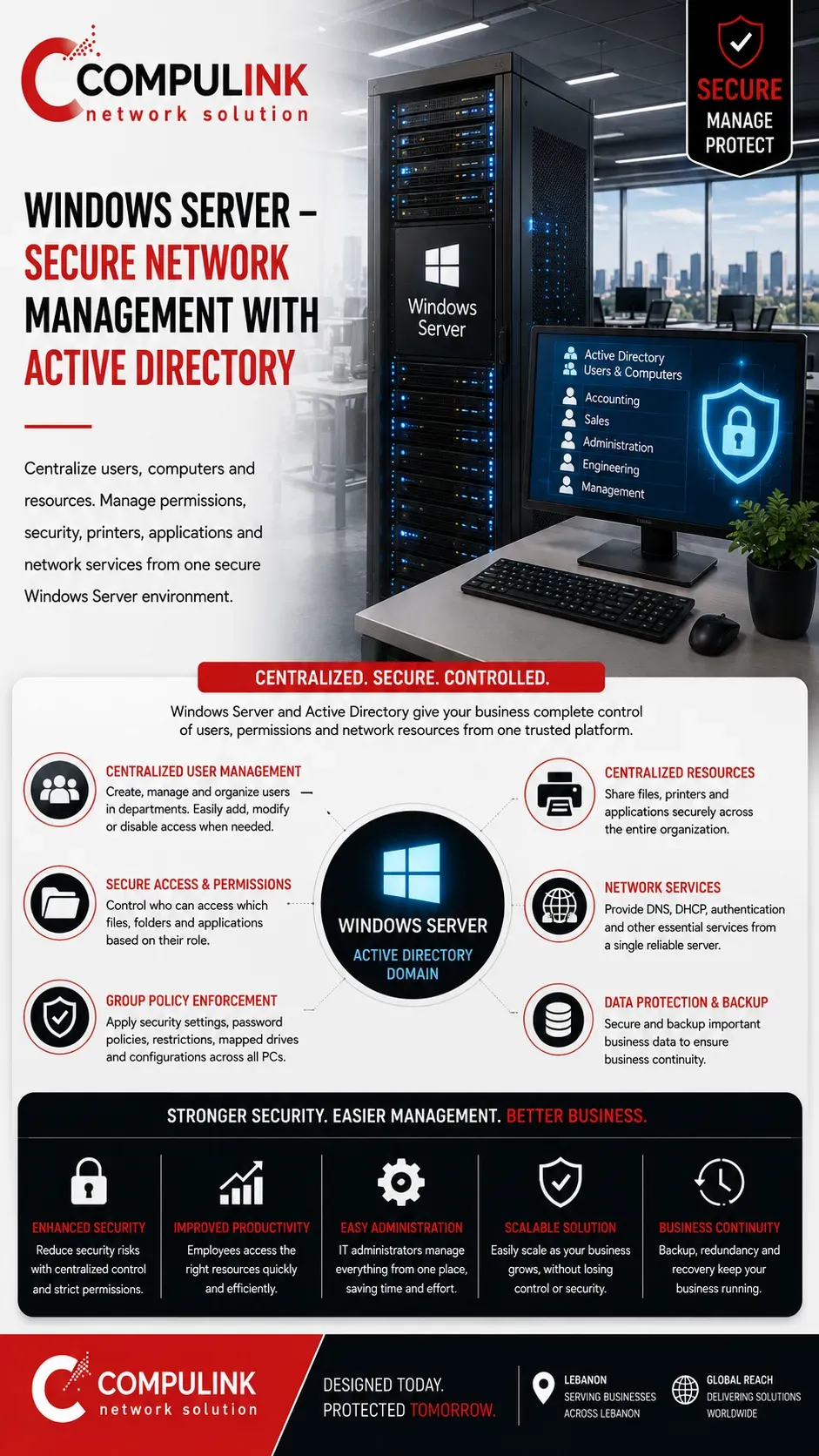
Windows Server – Secure Network Management with Active Directory
Windows Server plays a critical role in transforming a group of independent computers into a secure, organized, and manageable business network. Instead of maintaining separate user accounts, passwords, permissions, shared folders, and settings on every workstation, Active Directory allows the company to manage users, computers, and network resources through one controlled domain environment.
Each employee receives an individual domain account, while users can be organized into departments such as Accounting, Sales, Management, Administration, or Engineering. Access permissions can then follow business responsibilities. For example, accounting employees can access financial data while sales users remain restricted from confidential accounting folders. When an employee joins, changes department, or leaves the company, access can be created, modified, or disabled centrally, reducing the risk of former or unauthorized users retaining access to company information.
Group Policy adds another important management and security layer. Administrators can enforce password policies, workstation restrictions, security settings, mapped network drives, printers, and other configurations across multiple computers without manually configuring every device.
Windows Server can also provide essential network services such as DNS, DHCP, file sharing, printer sharing, authentication, application access, and centralized storage, creating a consistent environment for employees across the organization.
The importance becomes greater as a business grows. Managing five independent computers may appear simple, but managing dozens or hundreds without centralized control quickly becomes inefficient and difficult to secure.
A properly designed
Windows Server and Active Directory environment gives the organization control over
who can connect, what they can access, and which resources they can use, improving security, administration, scalability, and protection of valuable business data.
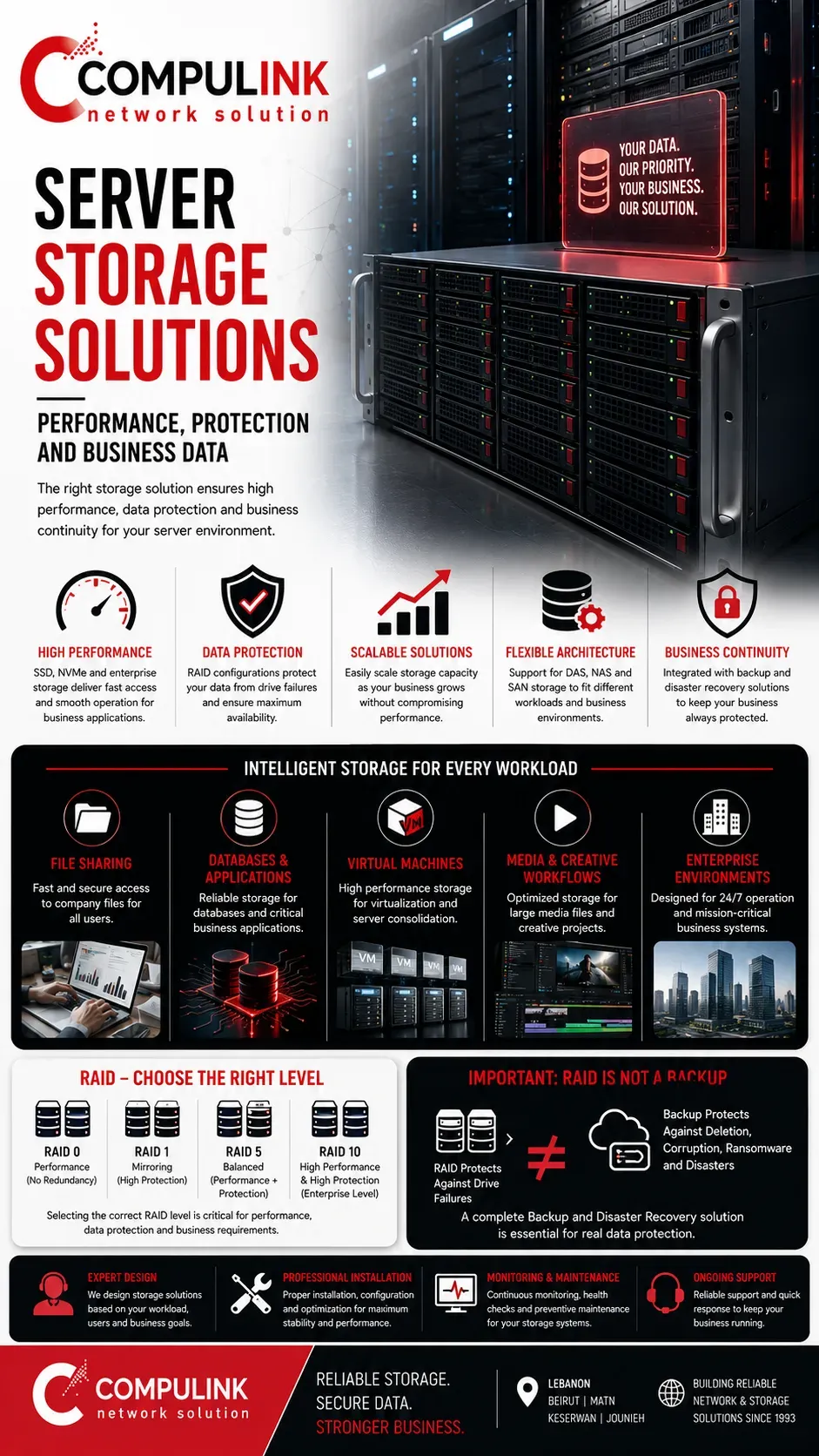
Server Storage Solutions – Performance, Protection and Business Data
A business server is only as effective as the storage system supporting it.
Server storage must provide enough capacity for company data, but capacity alone is not enough.
The storage architecture must also deliver the speed, reliability and protection required when multiple employees and applications access information simultaneously.
At Compulink, we design Server Storage Solutions according to the actual workload. File sharing, accounting systems, databases, virtual machines, media files and business applications create different storage demands.
We evaluate the required capacity, expected data growth, simultaneous users and application performance before selecting the appropriate storage architecture.
Depending on the requirements, an Enterprise Server may use SSD, NVMe or enterprise SAS storage, together with suitable RAID controllers and configurations. RAID can combine multiple drives to improve performance, provide redundancy, or achieve a balance between both. However, the correct RAID level must be selected according to the workload and business requirements rather than applied as a standard configuration to every server.
For larger environments, centralized NAS or SAN storage solutions can provide additional capacity, shared storage and scalability for servers, virtualization platforms and business data.
Storage performance must also match the rest of the infrastructure. Installing extremely fast storage provides limited benefit if the server network connection becomes the bottleneck when users transfer data.
Most importantly, RAID is not a backup.
Hardware redundancy protects against certain drive failures, while a separate Backup and Disaster Recovery Solution protects business information against deletion, corruption, ransomware and other incidents.
The objective is a balanced
Server Storage Solution designed for performance, data protection, scalability and long-term business reliability.
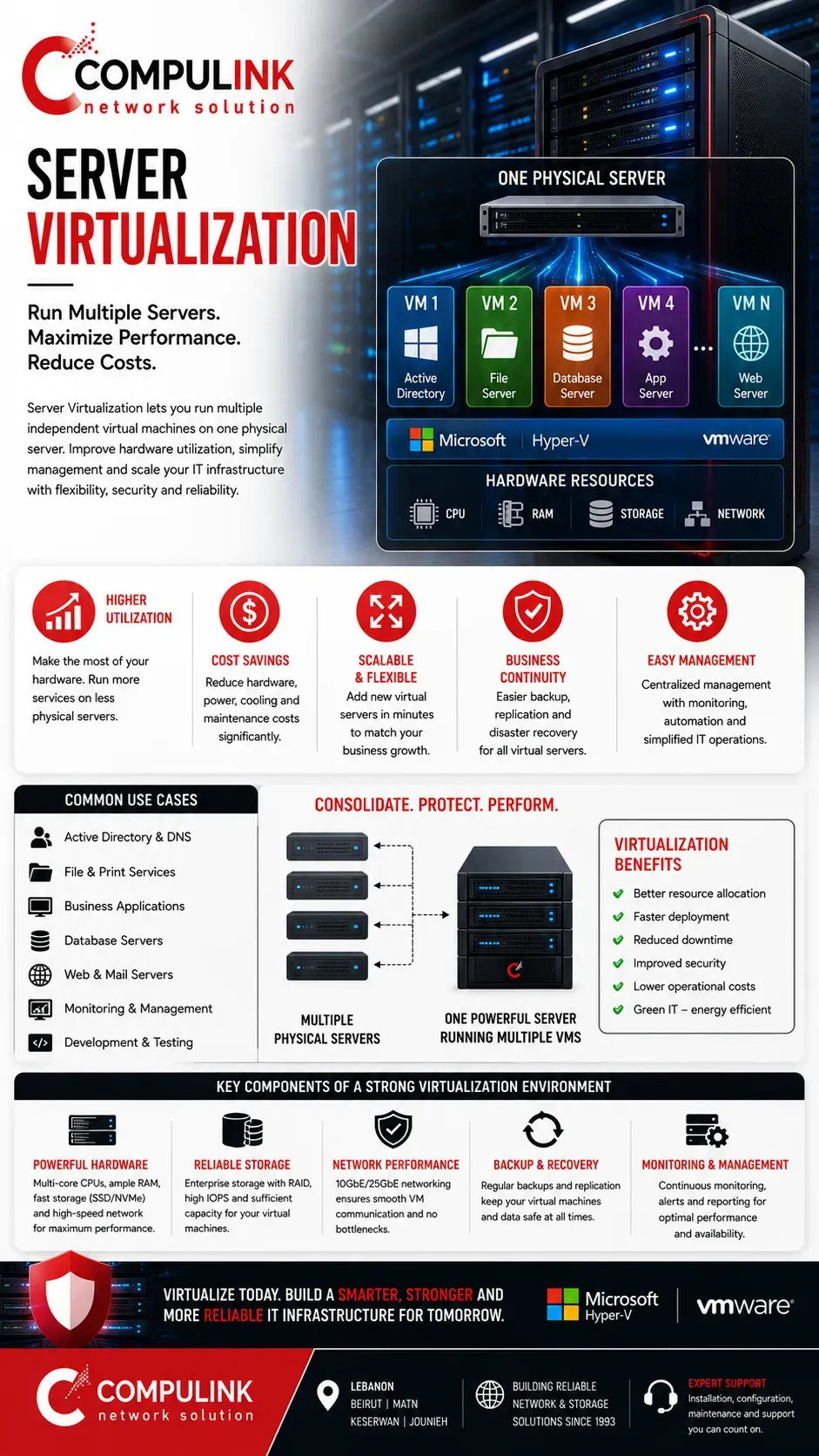
Server Virtualization – Run Multiple Servers on One Physical System
Server Virtualization allows a single physical server to run multiple independent virtual machines, each operating like a separate server with its own operating system, applications, memory, storage, and network configuration. Instead of purchasing a dedicated physical server for every business application or service, virtualization allows organizations to use their server hardware more efficiently.
At Compulink, we design Server Virtualization Solutions according to the applications, number of users, workloads, storage requirements, and availability the business requires. A physical enterprise server can, for example, host separate virtual machines for Active Directory, file services, business applications, databases, management systems, or other company services while keeping these environments logically separated.
Virtualization can improve hardware utilization, scalability, management, and business continuity.
Additional virtual servers can be deployed without installing another physical machine every time the organization introduces a new service. Resources such as CPU, RAM, storage, and network bandwidth can also be allocated according to the requirements of each virtual machine.
However, virtualization must be properly designed. Hosting several virtual machines on one server means they share the underlying hardware.
Insufficient CPU cores, RAM, storage performance, or network capacity can create bottlenecks that affect several business systems simultaneously. For critical environments, redundancy, backup, storage architecture, and recovery planning become especially important.
Using technologies such as
Hyper-V or VMware, a properly engineered Server Virtualization environment can help businesses consolidate infrastructure while maintaining performance, flexibility, security, and room for future expansion.
Server Maintenance and Support – Protecting Performance and Reliability
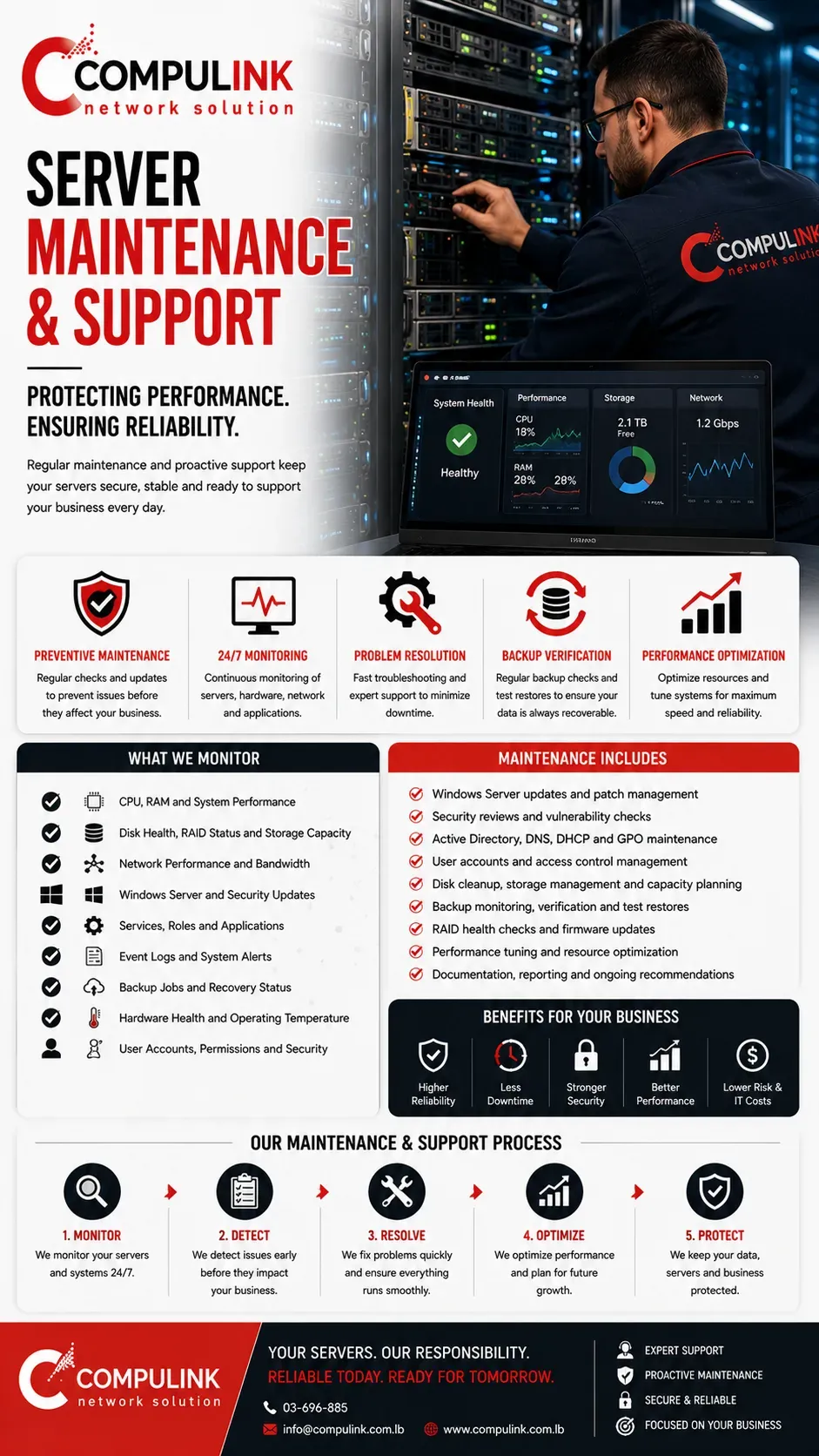
A successful Server Installation and Configuration does not end when the system goes live. Business servers operate continuously, supporting users, applications, storage and critical company data, which makes regular Server Maintenance and Support essential for maintaining performance, security and reliability.
At Compulink, server maintenance begins with monitoring the overall health of the environment. This includes checking CPU and RAM utilization, storage capacity, RAID status, disk health, network performance, operating temperatures, hardware alerts and system event logs. Detecting abnormal behavior early can help prevent a small issue from developing into unexpected downtime or data loss.
The software environment also requires attention. Windows Server, security updates, Active Directory, DNS, DHCP, Group Policy and installed server roles should be reviewed and maintained according to the organization's requirements.
User accounts and permissions should also remain controlled as employees join, leave or change responsibilities within the company.
Backup systems must be monitored and tested, not simply configured and forgotten. Successful backup reports do not always guarantee that business data can be restored correctly, making periodic recovery verification an important part of server protection.
Server maintenance also includes reviewing storage growth, network utilization and changing business workloads. As employees, applications and data increase, the original server configuration may require additional RAM, storage, network capacity or other upgrades.
Reliable Server Support therefore combines preventive maintenance, monitoring, troubleshooting and capacity planning to keep the server environment secure, stable and ready to support daily business operations.
Enterprise Servers – Built for Business-Critical Performance
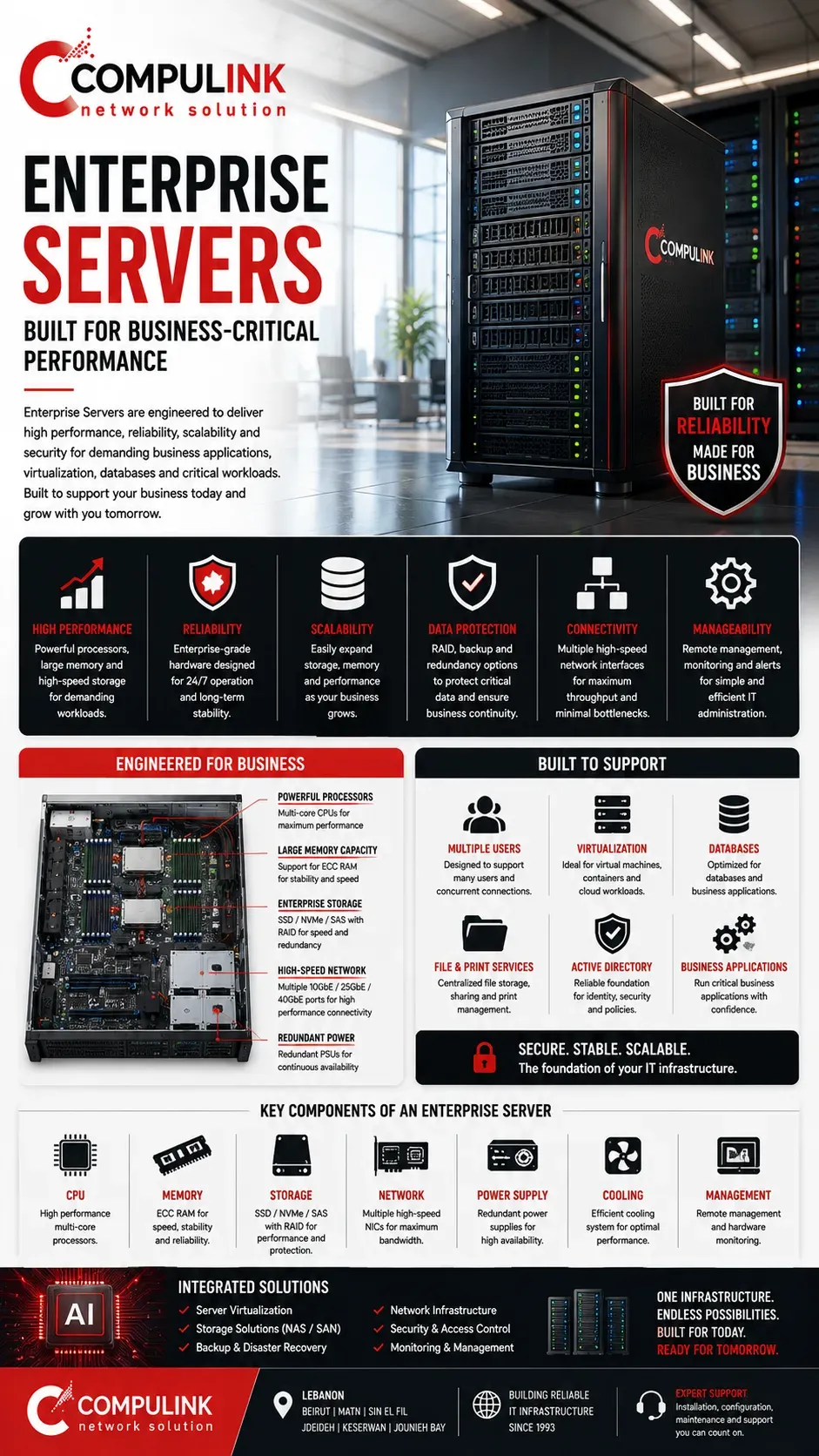
Enterprise Servers are designed for organizations that depend on continuous access to applications, databases, shared files and business systems. Unlike standard desktop computers, enterprise server hardware is engineered to support multiple simultaneous users, continuous workloads, higher data throughput and long operating hours while providing greater reliability and expansion capabilities.
At Compulink, selecting an Enterprise Server starts with the workload—not simply the server model or processor specification. The number of users, applications, virtual machines, databases, storage requirements and expected network traffic determine how the server should be configured.
Server performance depends on several components working together. The CPU and RAM must support simultaneous workloads, while SSD or NVMe storage and RAID must provide sufficient speed and data protection. The server's network interfaces must also be designed for the expected traffic. A powerful server connected through insufficient network bandwidth can still create a bottleneck when many employees access applications or large files simultaneously.
Enterprise hardware can also provide features such as redundant power supplies, hot-swappable drives, RAID controllers, multiple high-speed NICs and remote hardware management, helping businesses improve availability and simplify maintenance.
For critical environments, the design can incorporate server redundancy, virtualization, centralized storage, backup and disaster recovery, depending on the required level of business continuity.
The objective of an Enterprise Server Solution is not simply maximum hardware specifications. It is to build a balanced server architecture where processing, memory, storage and network performance are correctly sized to deliver reliable performance today while providing capacity for future business growth.
Server Setup – From Hardware Installation to a Ready Business System
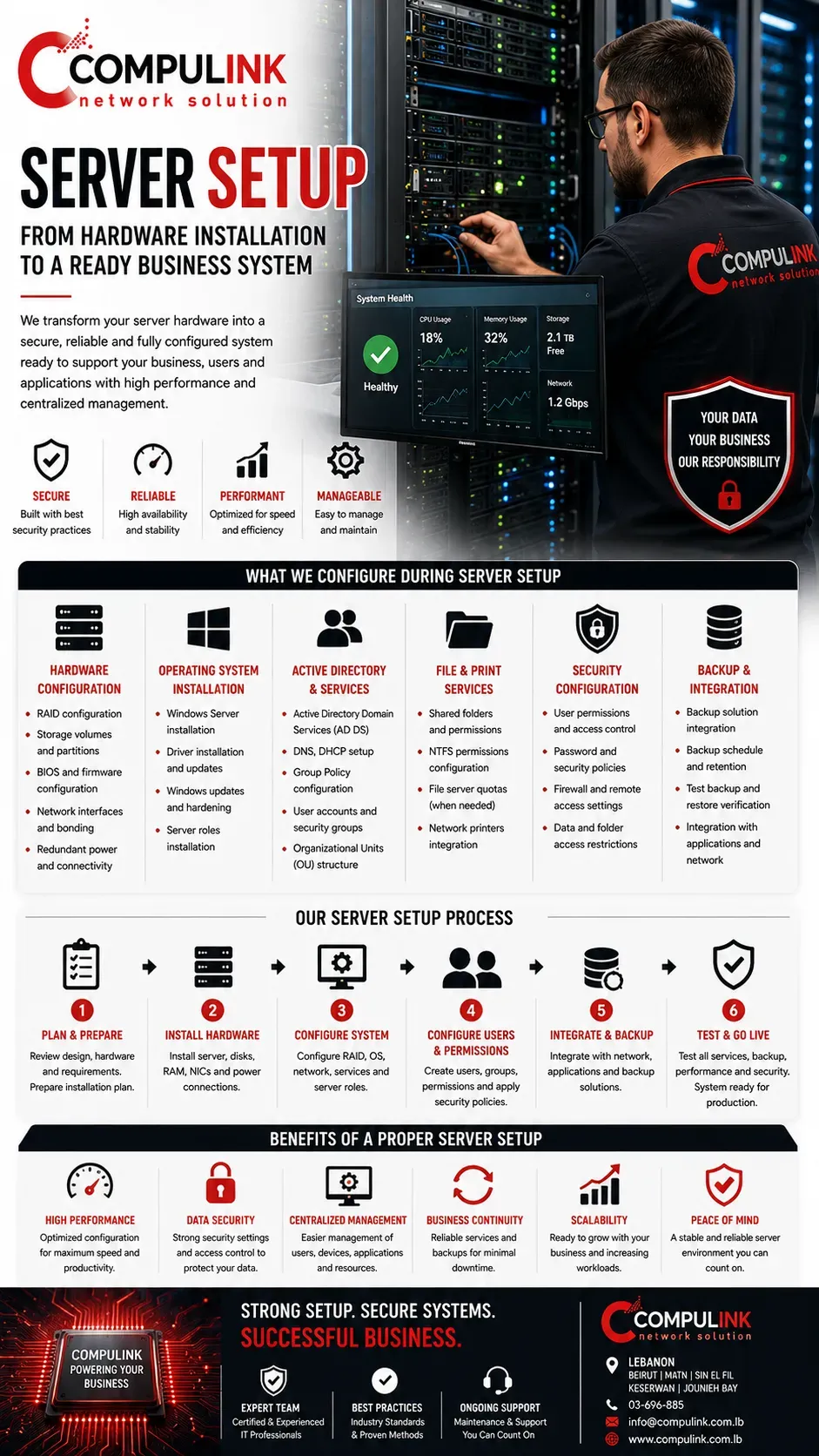
A proper Server Setup involves much more than installing an operating system and connecting the server to the network. The objective is to transform the selected hardware into a complete, secure and manageable business system that employees and applications can depend on every day.
At Compulink, the Server Setup process follows the approved network and hardware design. We configure the server's RAID, storage volumes, network interfaces, redundant connections and operating system according to the performance and availability requirements identified during the Business Study.
For Windows Server, the setup can include Active Directory Domain Services, DNS, DHCP, Group Policy, user accounts, security groups, file services, shared folders and network printers. Employees and computers are then connected to the domain so access to company resources can be centrally managed according to department and responsibility.
Security is also an important part of the configuration. User permissions, password policies, administrative access, firewall settings and data access restrictions are implemented to help protect the server and sensitive company information.
The Server Setup also includes integration with
backup solutions, storage systems, business applications and the existing network infrastructure where required. Configuration is documented so future maintenance, troubleshooting and expansion can be performed efficiently.
Before the server enters production, connectivity, permissions, services, storage and backup operations are verified.
A correctly implemented Server Setup turns enterprise server hardware into a reliable business platform—ready to support users, applications and company data with the performance, security and centralized management required for daily operations.
Server Backup Solutions – Protecting Business Data and Recovery
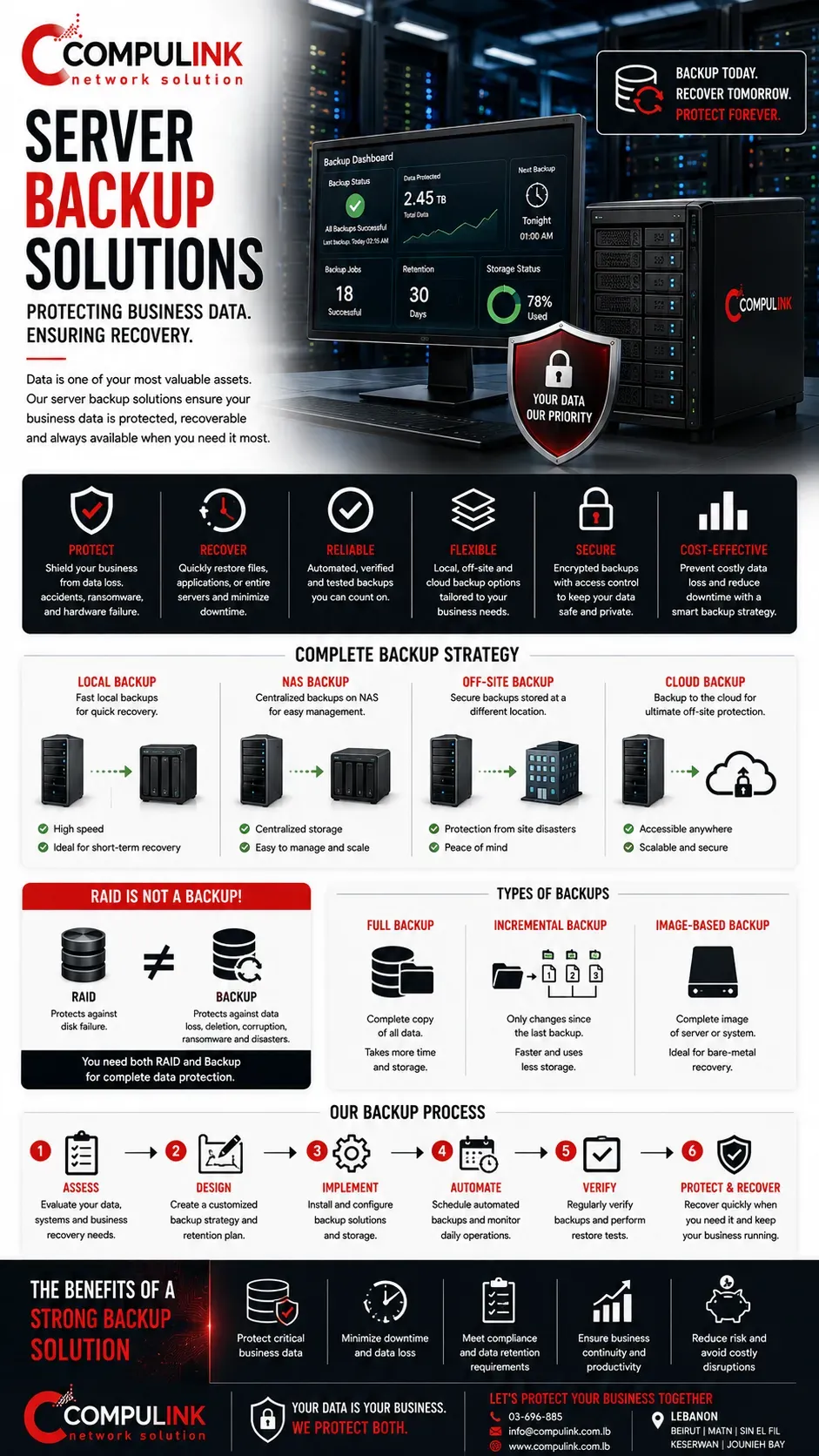
A reliable Server Backup Solution is essential because even the best-designed enterprise server cannot completely eliminate the risk of data loss. Hardware failures, accidental deletion, corrupted files, ransomware, software problems, power incidents or human error can affect critical business information without warning.
At Compulink, server backup is designed according to the importance of the company's data, how frequently information changes, how much data must be protected and how quickly the business needs to recover after an incident. The objective is not simply to create copies—it is to ensure that business data can actually be restored when required.
A complete backup strategy can combine local backup, NAS backup, off-site backup and cloud backup, depending on the organization's requirements.
Automated schedules can perform full, incremental or image-based backups of Windows Servers, databases, applications, virtual machines and important company files without relying on employees to manually copy data.
Backup retention is also important. Keeping multiple recovery points allows businesses to restore information from an earlier date when data corruption or ransomware is discovered after the initial incident.
Most importantly, RAID is not a backup. RAID can protect a server against certain disk failures, but it cannot independently protect against deleted files, ransomware, corruption or a complete server failure.
For this reason, backups should be monitored, verified and periodically restore-tested. A successful backup report has limited value if the required information cannot be recovered.
A properly designed Server Backup and Disaster Recovery Solution protects business data while reducing downtime and helping the organization resume operations quickly after an unexpected failure.
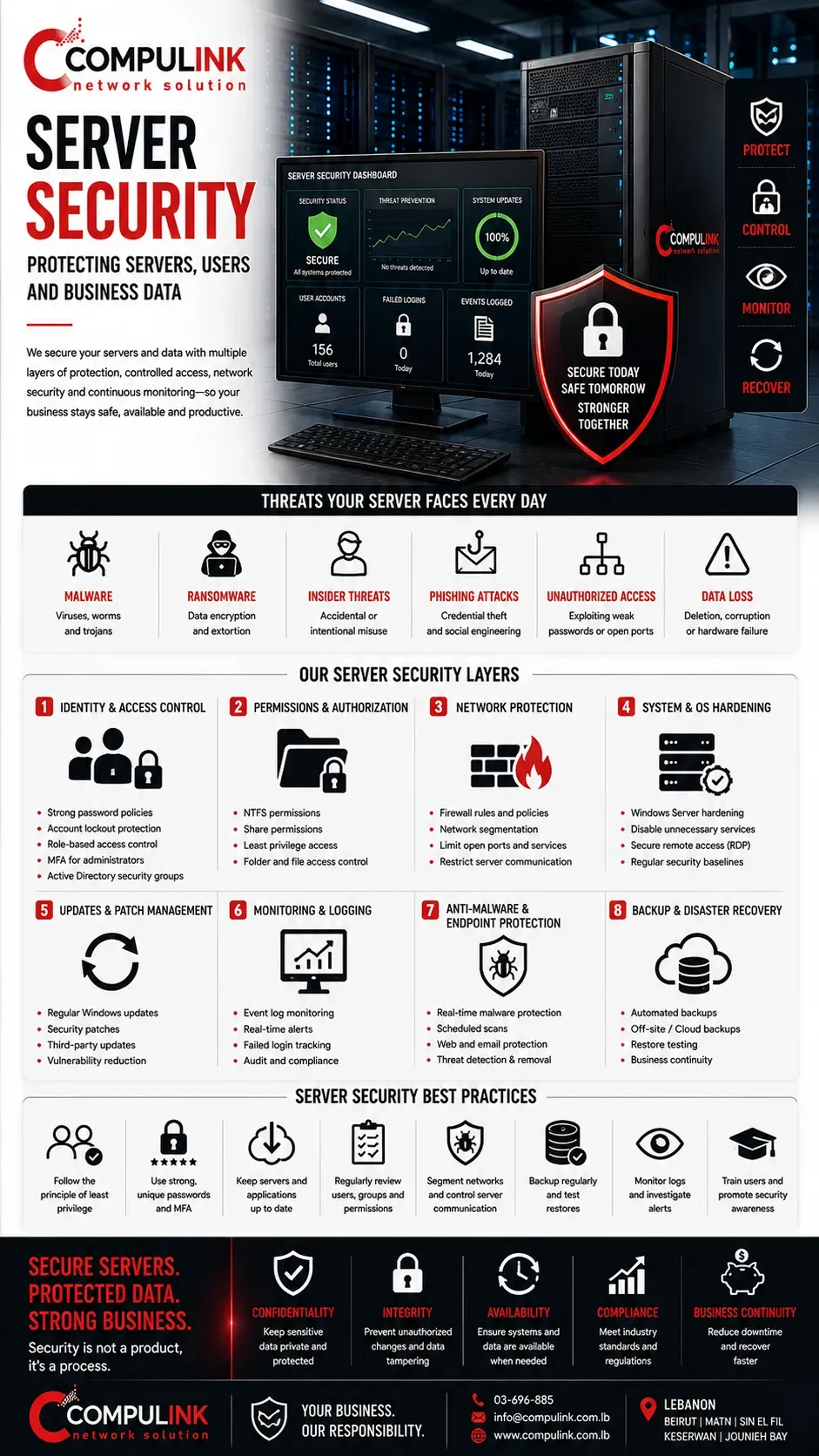
Server Security – Protecting Servers, Users and Business Data
A business server contains some of the organization's most valuable resources: user accounts, shared files, databases, applications, credentials and confidential company information. For this reason, Server Security must be designed as part of the original Server Installation and Configuration—not added only after a security problem occurs.
At Compulink, server protection starts by controlling who can access the server, what they are allowed to access and which network resources can communicate with it. With Windows Server and Active Directory, employees receive individual accounts and can be organized into security groups according to their departments and responsibilities. Permissions can then restrict access to sensitive folders, applications and company data.
Administrative access requires even stronger control. Employees should not normally operate with administrator privileges, while server administration should be limited to authorized IT personnel. Password policies, account restrictions, Group Policy and access permissions provide additional layers of protection.
The network itself is equally important. Servers can be protected through firewall policies, network segmentation, controlled ports and restricted communication between different business networks, reducing unnecessary exposure to users and devices that do not require server access.
Server security also includes Windows Server updates, security patches, system monitoring, event logs, antivirus or endpoint protection, secure remote access and regular review of user accounts and permissions.
However, security does not replace backup. Even a well-protected server requires an independent Backup and Disaster Recovery Solution in case data becomes encrypted, corrupted, deleted or otherwise unavailable.
A properly designed Server Security Solution combines identity, permissions, network protection, monitoring and backup to create multiple defensive layers around critical business systems and data.
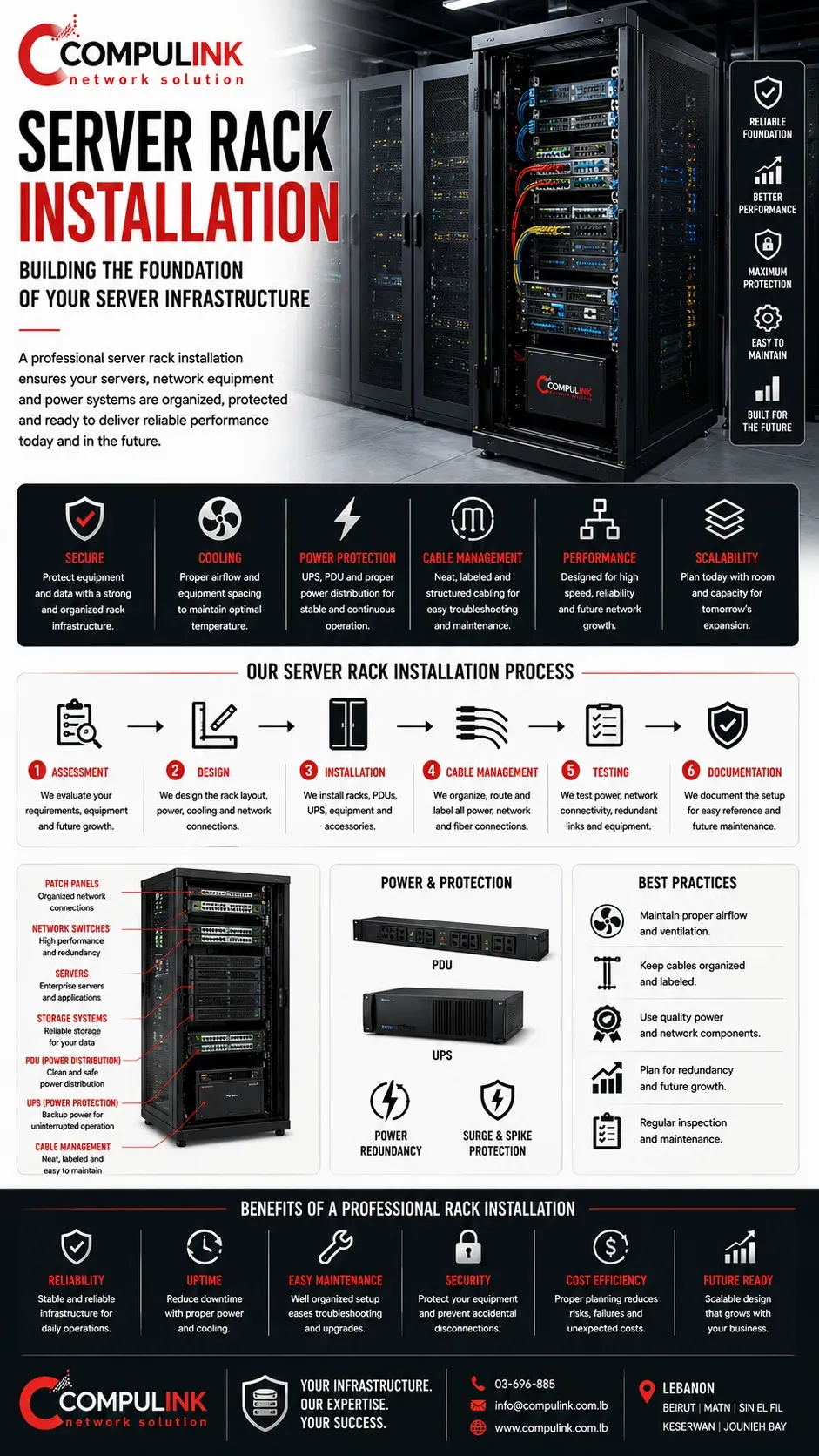
Server Rack Installation – Building the Physical Foundation of the Server Infrastructure
A reliable Server Installation depends not only on the server itself, but also on the physical infrastructure supporting it. The server rack, power distribution, UPS, cooling, structured cabling and network connections must be properly designed so the equipment remains organized, protected and easy to maintain.
At Compulink, Server Rack Installation begins by determining what equipment the cabinet must accommodate today and what capacity should remain for future expansion. Servers, switches, firewalls, patch panels, storage systems, UPS units and other network equipment must be positioned according to their size, weight, airflow, power requirements and connectivity.
Power planning is particularly important. Enterprise servers may use redundant power supplies, which should be connected according to the required redundancy design. Proper PDU and UPS integration helps protect equipment against power interruptions and provides controlled power distribution throughout the rack.
Cooling and airflow must also be considered. Poor equipment positioning, blocked ventilation or badly organized cabling can restrict airflow and increase operating temperatures, potentially affecting hardware reliability and performance.
Professional cable management keeps copper, fiber optic and power connections organized and identifiable. Correct labeling and documentation make future troubleshooting, maintenance and equipment replacement significantly easier while reducing the risk of disconnecting the wrong service.
The rack design must also consider network performance. Server connections, high-speed uplinks, redundant links and storage connectivity should follow the approved network architecture without creating unnecessary cabling complexity.
A properly engineered Server Rack and Infrastructure provides a clean, secure and scalable physical foundation for enterprise servers, storage, networking and future business growth.
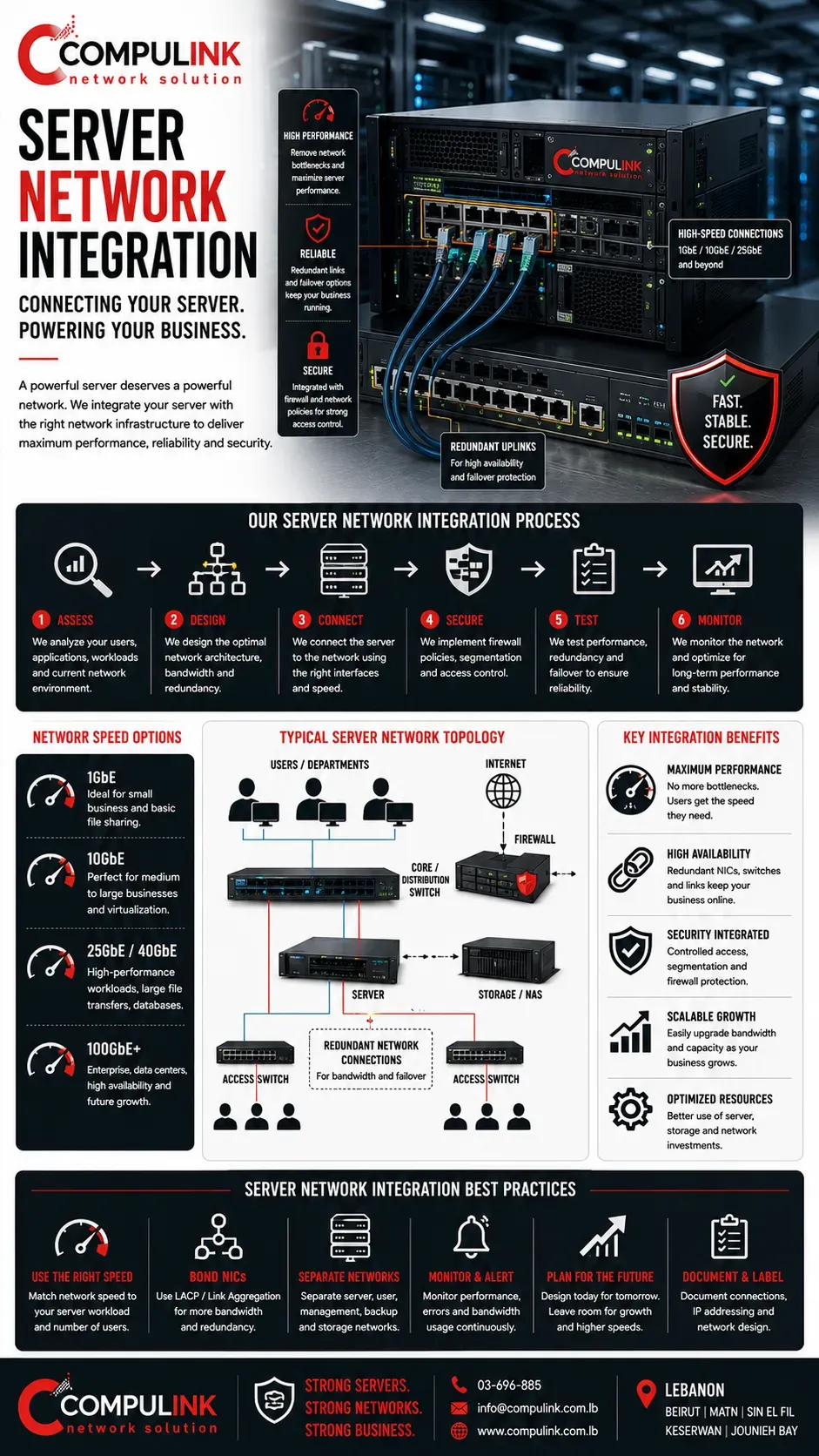
Server Network Integration – Connecting the Server for Maximum Performance
A powerful Enterprise Server can only deliver its full performance when the network connecting users, applications and storage is designed to handle the required traffic.
Installing a high-performance server with powerful CPUs, large RAM and NVMe storage while connecting it through an undersized network interface can create a bottleneck before the server hardware reaches its actual capability.
At Compulink, Server Network Integration is designed according to the number of users, applications, expected simultaneous traffic and the type of data being transferred. We calculate the required network capacity and determine whether the server requires 1GbE, multiple network interfaces, link aggregation, 10GbE, 25GbE or higher-speed connectivity depending on the business workload.
The connection between the server and network switch is particularly important. When dozens or hundreds of employees access shared files, databases or business applications simultaneously, their traffic eventually reaches the server uplink. That connection must provide sufficient aggregate bandwidth so users are not competing for an unnecessarily limited path.
For critical environments, servers can also use multiple NICs and redundant network connections to suitable switches. This can increase available bandwidth and provide resiliency if a network interface, cable or network path fails, depending on the architecture.
Server integration must also consider network security and access control. Firewall policies, network segmentation and controlled communication can determine which users, departments and systems are permitted to reach specific server resources.
The objective is to ensure the server hardware, storage and network infrastructure operate as one balanced system. Proper Server Network Integration helps eliminate avoidable bottlenecks and provides the performance, reliability and scalability required as users and business workloads continue to grow.
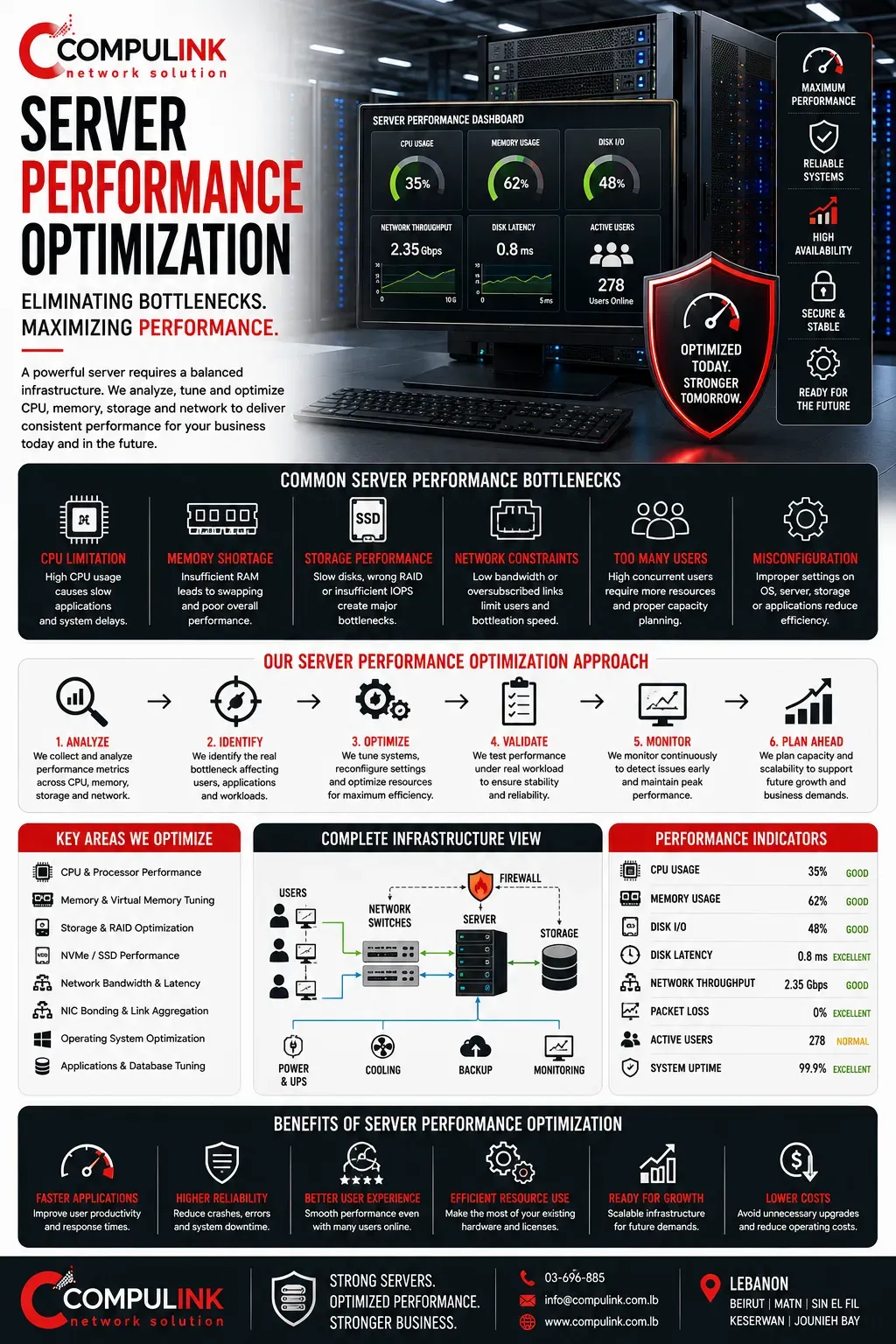
Server Performance Optimization – Eliminating Bottlenecks Across the Infrastructure
A server can contain powerful processors, large amounts of RAM and high-speed NVMe storage and still perform poorly if another component limits the flow of data.
Server Performance depends on the complete infrastructure working together, which means optimization must look beyond individual hardware specifications.
At Compulink, Server Performance Optimization begins by identifying where the actual workload is being restricted. We analyze CPU utilization, RAM usage, storage performance, RAID configuration, disk latency, network throughput and server NIC utilization while considering the number of users and applications accessing the server simultaneously.
The source of poor performance is not always the server processor. A database may be waiting for storage, virtual machines may require additional memory, or hundreds of users may be sharing a network connection that cannot provide sufficient aggregate bandwidth. Upgrading the CPU in these situations may produce little improvement because the real server bottleneck remains elsewhere.
Storage must therefore be evaluated together with SSD or NVMe performance, RAID architecture and controllers, while network capacity must be matched to the workload using appropriate 1GbE, 10GbE, 25GbE or higher-speed server connectivity when required.
The applications themselves also matter. Windows Server, databases, virtual machines, file services and business applications create different CPU, memory, storage and network demands, so performance requirements must be evaluated according to how the server is actually being used.
Effective Server Optimization is therefore about balance. CPU, RAM, storage and network bandwidth must complement one another so that one undersized component does not restrict the entire system.
The objective is not simply to make a server faster—it is to deliver consistent performance when employees are working simultaneously, while maintaining reliability and enough capacity for future business growth.
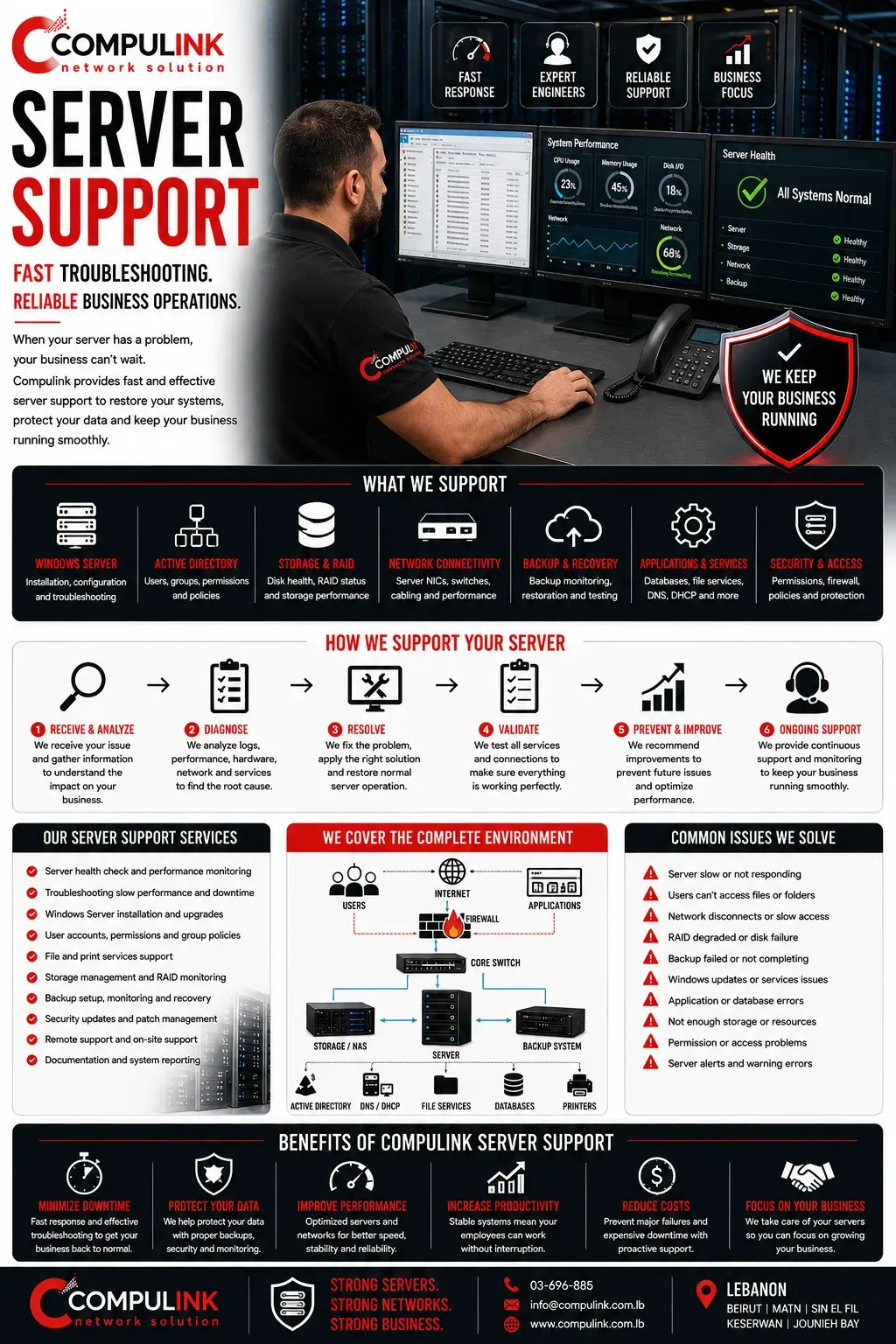
Server Support – Fast Troubleshooting and Reliable Business Operations
When a business depends on its server for files, applications, databases, user authentication and daily operations, a server problem can affect many employees at the same time. For this reason, reliable Server Support is not simply about repairing hardware—it is about identifying problems quickly, understanding their impact and restoring normal business operations with minimum disruption.
At Compulink, Server Support covers the complete environment surrounding the server. When users report slow access, connection failures or unavailable applications, the problem may originate from Windows Server, Active Directory, DNS, DHCP, storage, RAID, network connectivity, server NICs, switches, firewall policies or the application itself.
Troubleshooting must therefore examine the complete infrastructure rather than assuming the server hardware is responsible.
System logs, hardware alerts and performance information help identify the actual cause.
We can analyze CPU and RAM utilization, disk health, storage latency, RAID status, network throughput, services, user authentication and backup status to determine where the failure or performance problem originates.
Server Support also includes assisting with user accounts, permissions, shared folders, network printers, Windows Server services, storage capacity and configuration changes as business requirements evolve.
For critical environments, proper documentation is particularly important. Network connections, server configurations, IP addressing, storage architecture and backup procedures should be documented so troubleshooting can begin quickly without having to rediscover the infrastructure during an emergency.
Effective Server Support Services combine technical troubleshooting with knowledge of the complete server and network infrastructure, helping businesses restore services faster, reduce downtime and maintain secure, reliable access to the systems employees depend on every day.
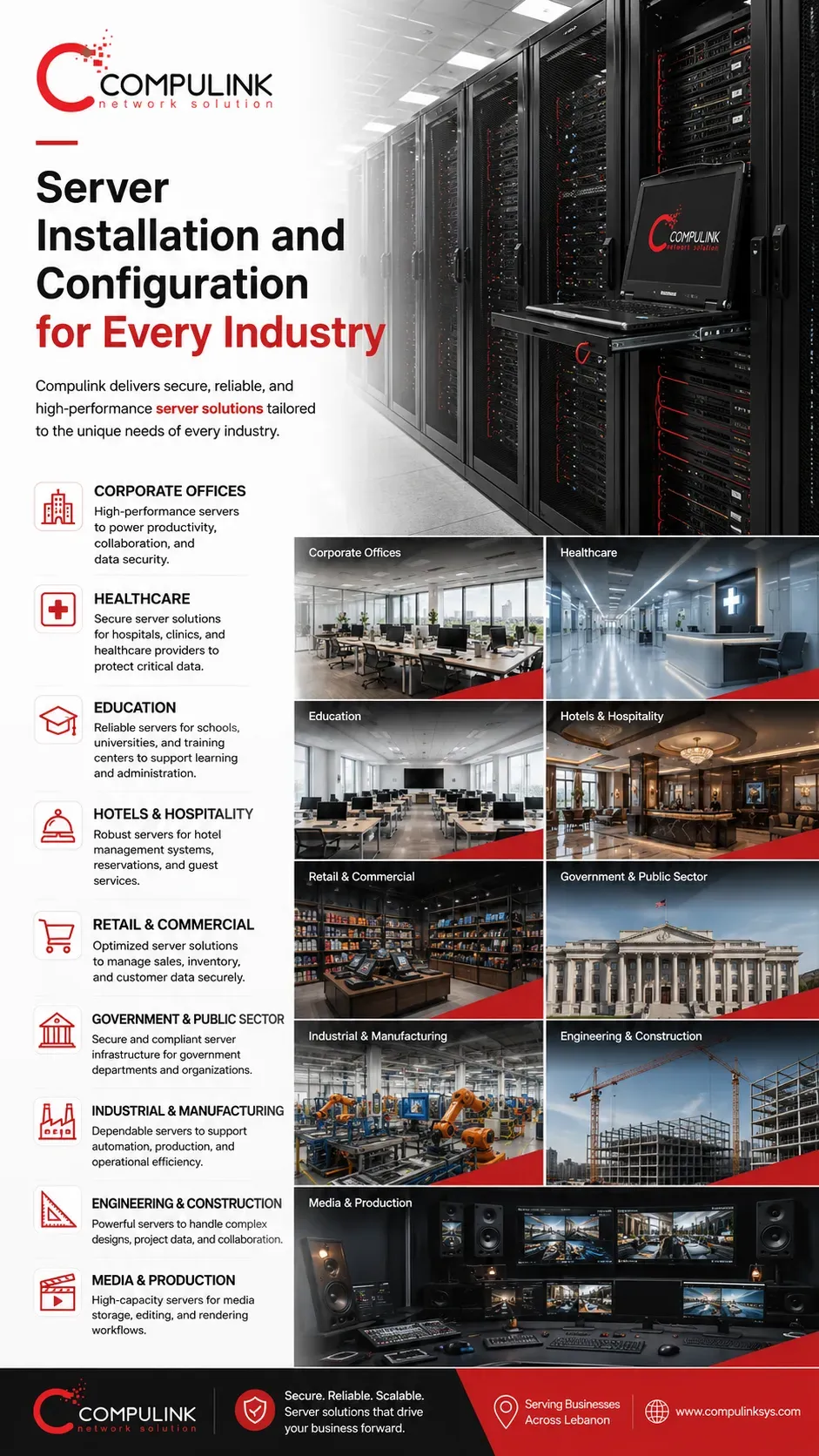
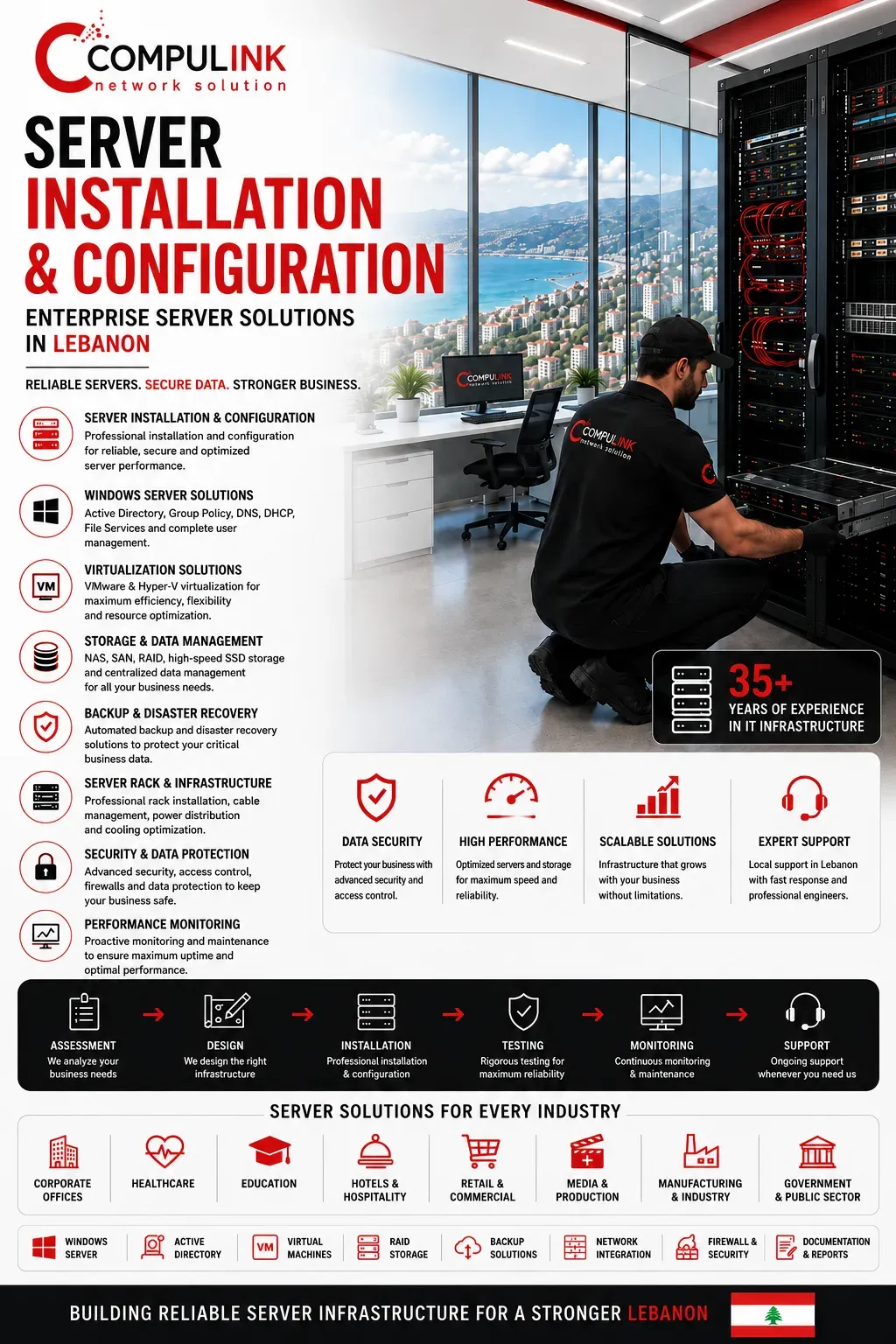
Server Installation and Configuration for Every Industry
Compulink provides Server Installation and Configuration Solutions for organizations that depend on secure, reliable and high-performance business networks. Every industry operates differently, with its own users, applications, data, storage, security policies and performance requirements.
For this reason, an effective Server Solution must be designed around the actual operational needs of each organization rather than using the same configuration for every business.
Our Enterprise Server Solutions support corporate offices, healthcare facilities, hospitals and clinics, schools and universities, hotels and hospitality businesses, retail stores and shopping centers, financial institutions, engineering and construction companies, government and public-sector organizations, industrial and manufacturing facilities, media and production companies, real estate developments and telecommunications environments.
A hospital may require secure access to critical applications and patient information, while a corporate office may depend on Windows Server, Active Directory, shared files, accounting systems and centralized user management. Hotels require reliable systems supporting continuous operations, while engineering and media companies may generate large files requiring powerful Server Storage Solutions and high-speed network connectivity. Educational and government environments may require controlled access for large numbers of users across different departments.
Compulink studies these requirements before designing the infrastructure. Our solutions can integrate Windows Server, Active Directory, Enterprise Servers, Server Storage, virtualization, backup and disaster recovery, network security, high-speed server connectivity, Server Maintenance and Server Support.
Every Server Installation is therefore engineered according to the organization's users, workload, applications, security requirements and future growth, providing a scalable infrastructure designed for reliable long-term business operations.
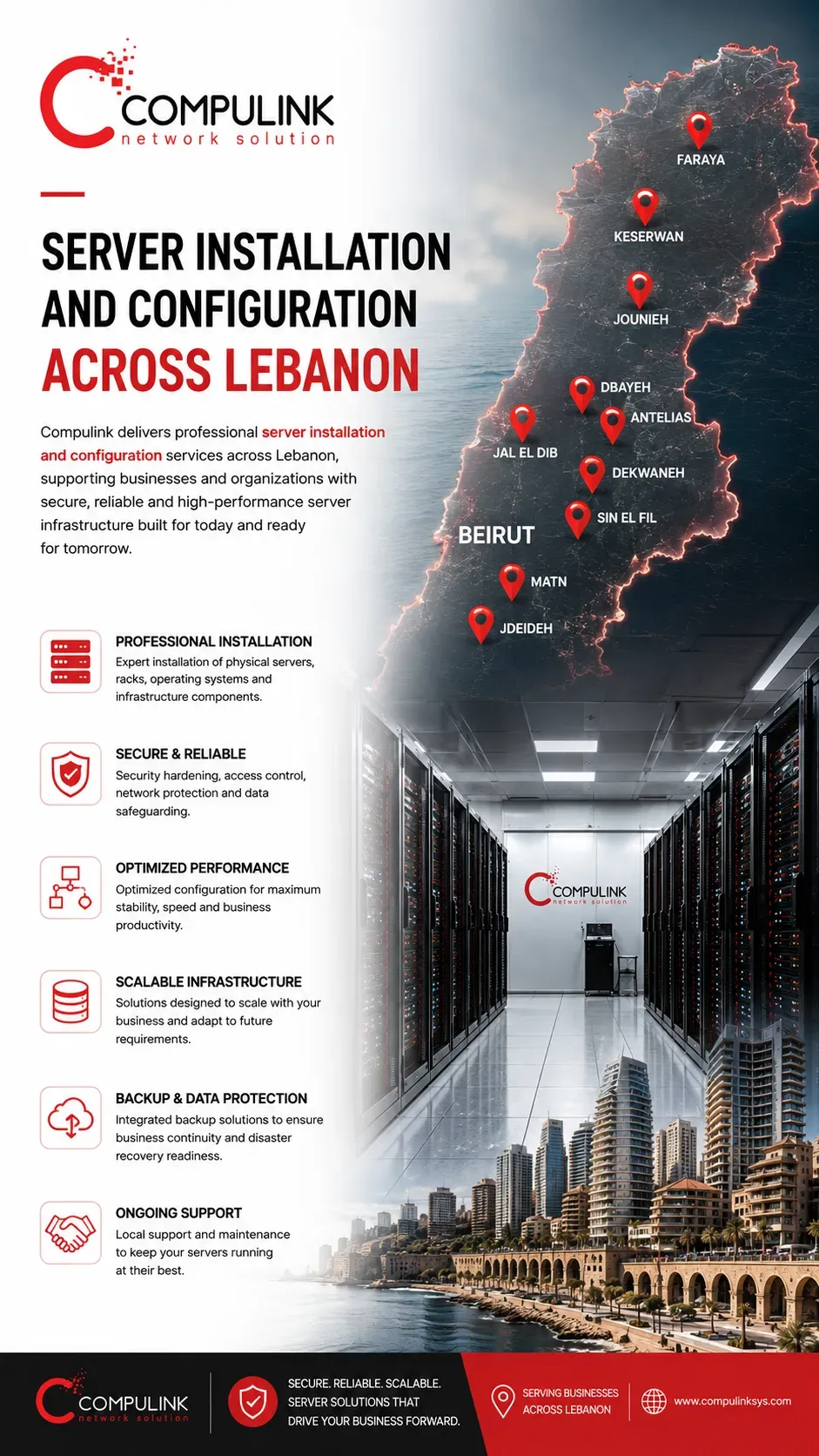
Server Installation and Configuration Across Lebanon
Compulink provides Server Installation and Configuration Solutions across Lebanon for businesses and organizations that require secure, reliable and professionally configured server infrastructure. From corporate offices and commercial facilities to hospitals, hotels, educational institutions, industrial environments and media companies, Compulink designs and installs server solutions according to the operational requirements of each organization.
Our Server Installation Services in Lebanon include physical server deployment, rack installation, operating system configuration, storage configuration, network connectivity, user and access configuration, security settings, backup integration and connection to the existing business network.
Each installation is planned to provide stable performance while allowing the infrastructure to expand as the organization grows.
Compulink provides Server Installation and Configuration in Beirut, Matn, Sin El Fil, Dekwaneh, Jdeideh, Antelias, Jal El Dib, Dbayeh, Zalka, Jounieh, Keserwan, Faraya and Mount Lebanon, with services also available for projects throughout Lebanon.
For organizations upgrading an existing environment, Compulink can evaluate the current server and network infrastructure before implementing the new system. This helps identify connectivity limitations, storage requirements, network bottlenecks and infrastructure changes that should be addressed as part of the server deployment.
Whether installing a new business server, expanding an existing server environment or configuring infrastructure for a new office or facility, Compulink Server Installation and Configuration in Lebanon provides businesses with a professionally designed foundation for applications, data, users, storage, backup and everyday network operations.
Frequently Asked Questions About Server Installation and Configuration
What is included in professional server installation and configuration?
Professional server installation and configuration can include physical server installation, rack mounting, operating system setup, storage and RAID configuration, network connectivity, user access, security settings, backup integration, remote management and performance optimization. Compulink configures each server according to the organization’s infrastructure and operational requirements.
Does Compulink provide server installation in Lebanon?
Yes. Compulink provides Server Installation and Configuration across Lebanon, including Beirut, Matn, Sin El Fil, Dekwaneh, Jdeideh, Antelias, Jal El Dib, Dbayeh, Jounieh, Keserwan, Faraya, Mount Lebanon and other locations based on project requirements.
Can Compulink install servers for an existing business network?
Yes. Compulink can integrate new servers into an existing network infrastructure. The current network, switches, firewall, cabling, storage and connectivity can be evaluated to determine the appropriate configuration and identify infrastructure limitations before deployment.
What types of businesses need dedicated servers?
Dedicated servers can support corporate offices, healthcare facilities, hotels, educational institutions, retail businesses, government organizations, industrial facilities, engineering companies and media environments that require centralized applications, business data, file storage, backup or controlled user access.
Can you configure server storage and RAID?
Yes. Compulink can configure server storage and RAID according to performance, capacity and redundancy requirements. The appropriate configuration depends on the server workload, available drives, application requirements, data importance and backup strategy.
Do you provide server backup and disaster recovery solutions?
Yes. Server deployments can be integrated with backup and disaster recovery solutions to protect important business information and improve recovery capability following hardware failure, data loss or other infrastructure incidents.
Can you upgrade an existing server infrastructure?
Yes. Existing server infrastructure can be assessed and upgraded when additional storage, memory, processing capacity, network bandwidth or improved redundancy is required. Compulink can also identify whether other network components may be limiting server performance.
Do you configure servers for 10Gbps networks?
Yes. Where the server hardware and network infrastructure support it, Compulink can integrate servers with 10Gbps network connectivity using compatible network adapters, switches and fiber or copper infrastructure. Higher-speed connectivity can also be designed when required by the application and infrastructure.
Can Compulink design the network infrastructure around the server?
Yes. Compulink specializes in network infrastructure design and installation, allowing the server, switching, firewall, structured cabling, fiber connectivity, storage and backup infrastructure to be planned as one coordinated environment.
How do I choose the right server for my business?
The correct server depends on the number of users, business applications, storage capacity, expected workload, network speed, backup requirements, redundancy and future growth. Compulink first performs a business and infrastructure study to understand how the organization operates, including the types of documents and data being stored, current and expected data capacity, file sizes, applications, databases, user activity, access requirements and anticipated growth. Based on this assessment, Compulink can recommend the appropriate server hardware, storage capacity, performance, network connectivity, backup strategy and server configuration for the business.